Bitfinex KYC Verification — A Complete Step-by-Step Guide
Bitfinex was founded in 2012 and is operated by iFinex Inc. Bitfinex initially focused on peer-to-peer Bitcoin margin lending. Through its peer-to-peer funding market, Bitfinex offers margin trading, allowing users to trade securely with up to 10× leverage.
(Click here to learn how Bitfinex lending works and what all the risks arehttps://school.fuly.ai/courses/bitfinex-lending-basic)
The original Bitfinex KYC process was complicated and time-consuming. Recent changes have made it much easier to navigate. You still need several documents, but if you have everything ready and the process goes smoothly, you can complete KYC verification in about 30 minutes.
Before starting KYC, we recommend reading Bitfinex Lending Tutorial Series (Part 1) — How Bitfinex Lending Works and What to Prepare to find out which documents you need. Getting everything ready before you start will save you a lot of time!
Follow these steps to open a Bitfinex account and complete KYC verification.
----------Contents
1. Register for a Bitfinex account
2. Complete Basic Plus verification
3. Complete Intermediate verification
4. Complete Full verification
6. Submit the KYC declaration
----------
1. Register for a Bitfinex account
1–1 Download the Bitfinex app

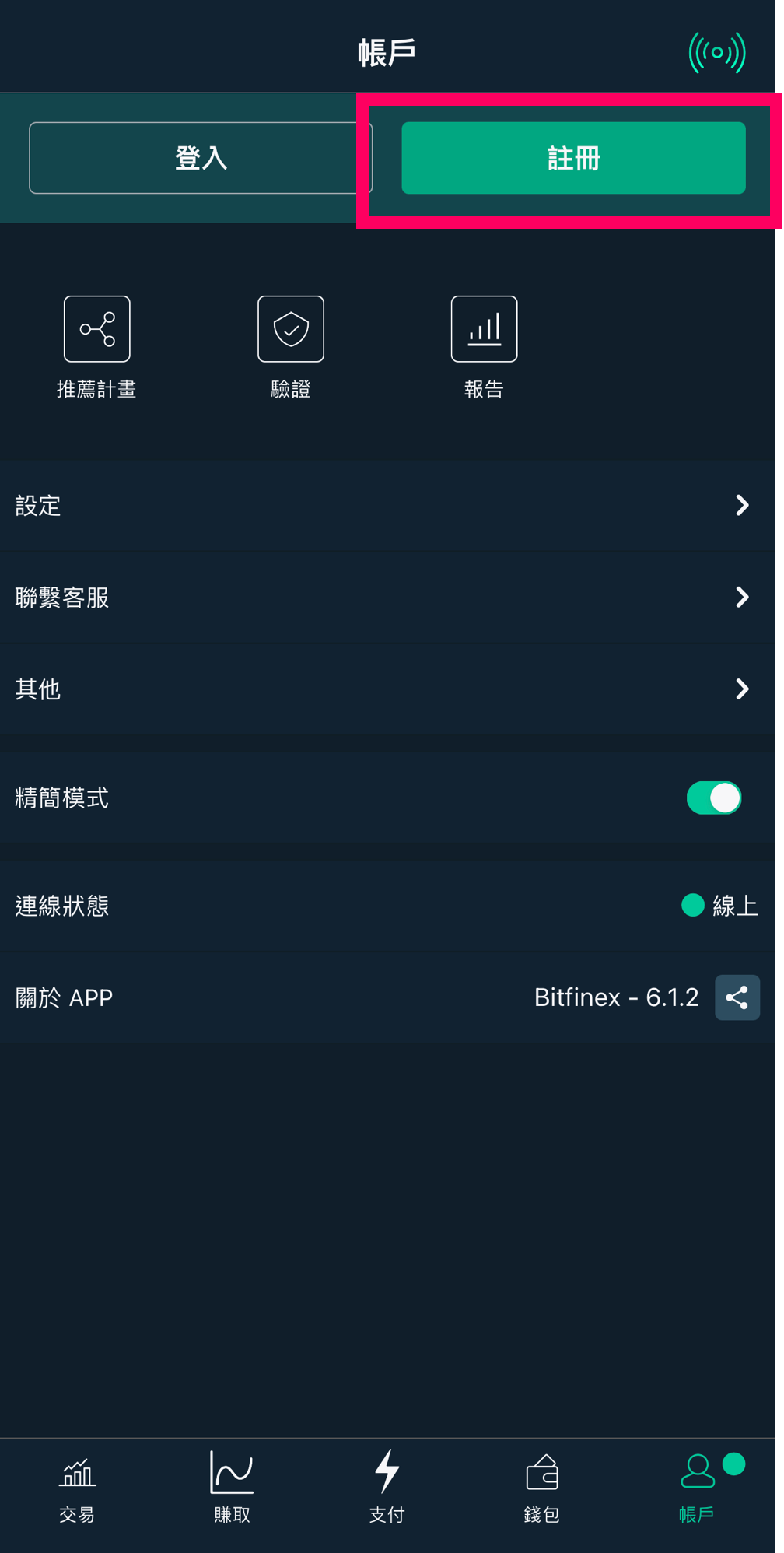
1–2 Tap “Sign Up”
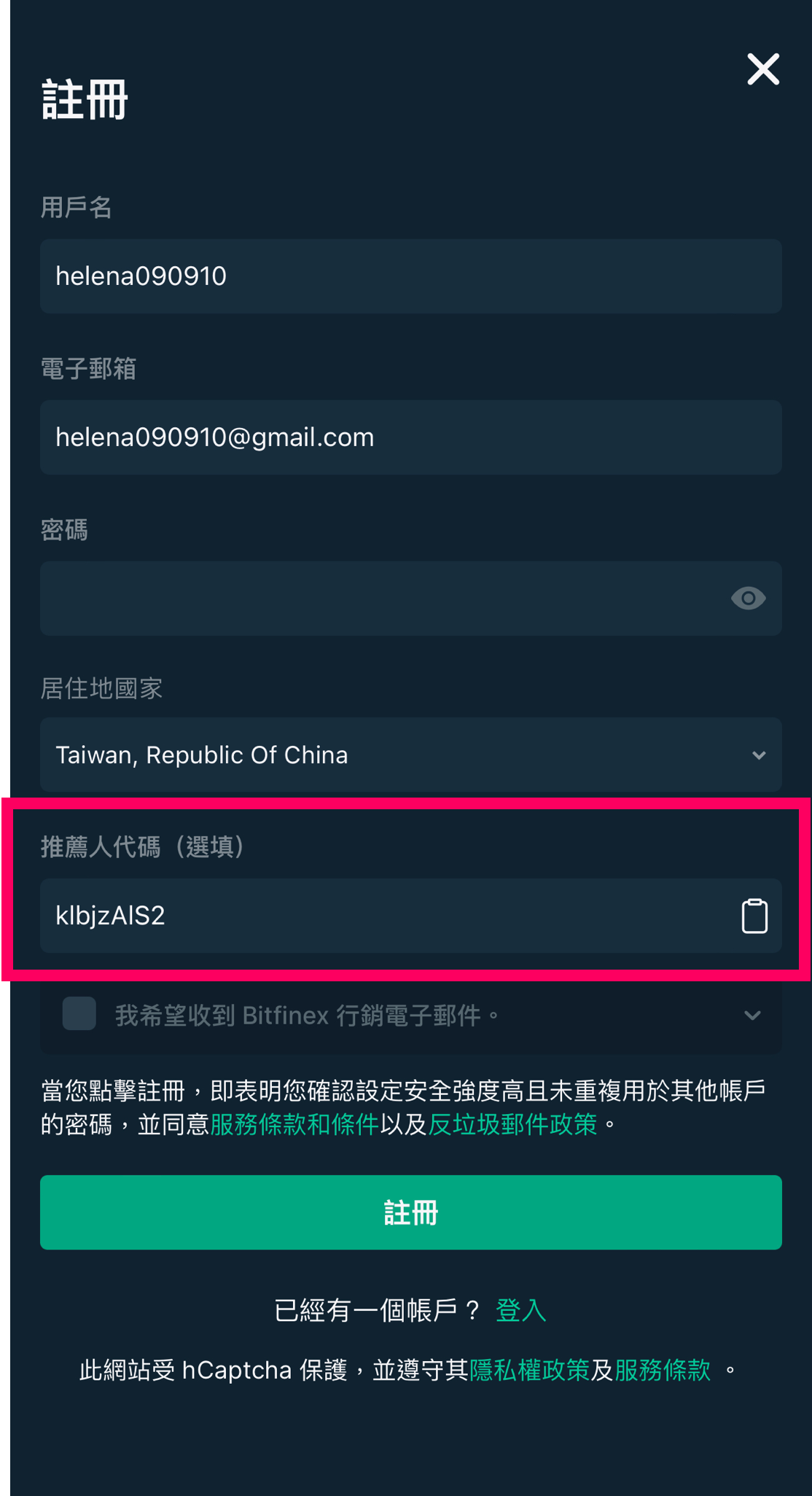
1–3 Fill in your registration details. Enter klbjzAlS2 as your referral code.
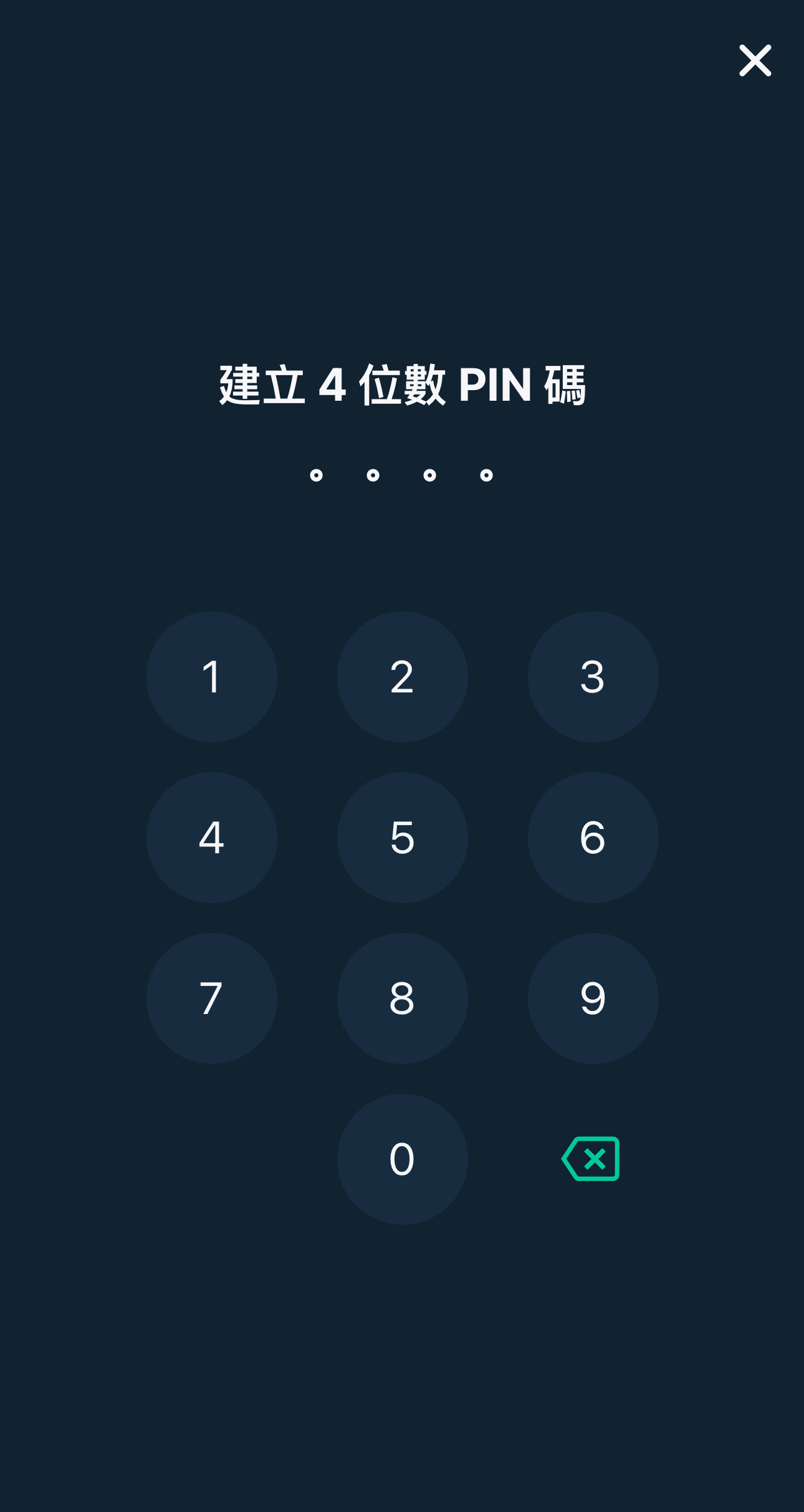
1–4 Set a four-digit PIN
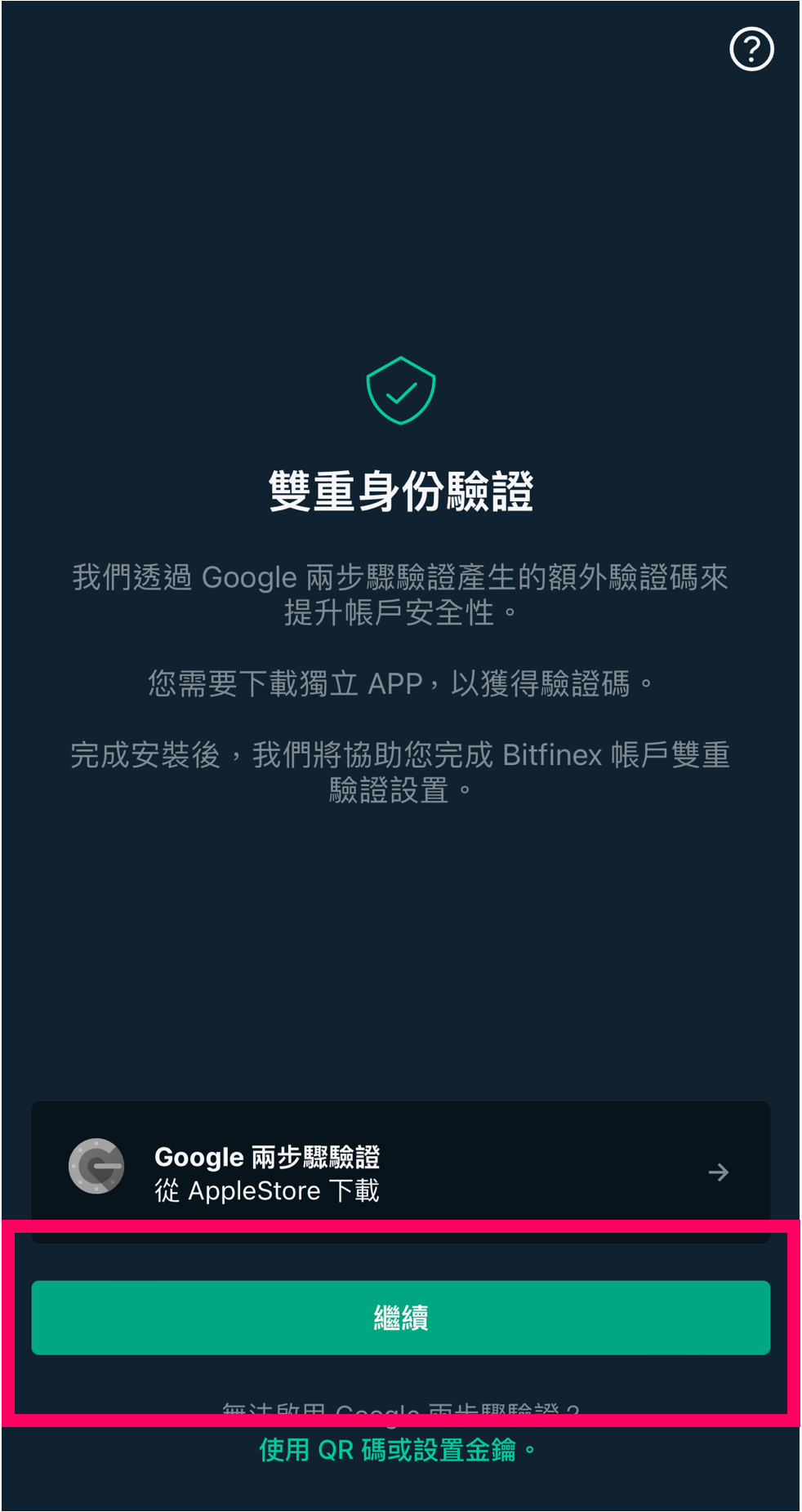
1–5 Tap “Continue” on the two-factor authentication setup screen
1–6 Tap “Copy” to copy the key
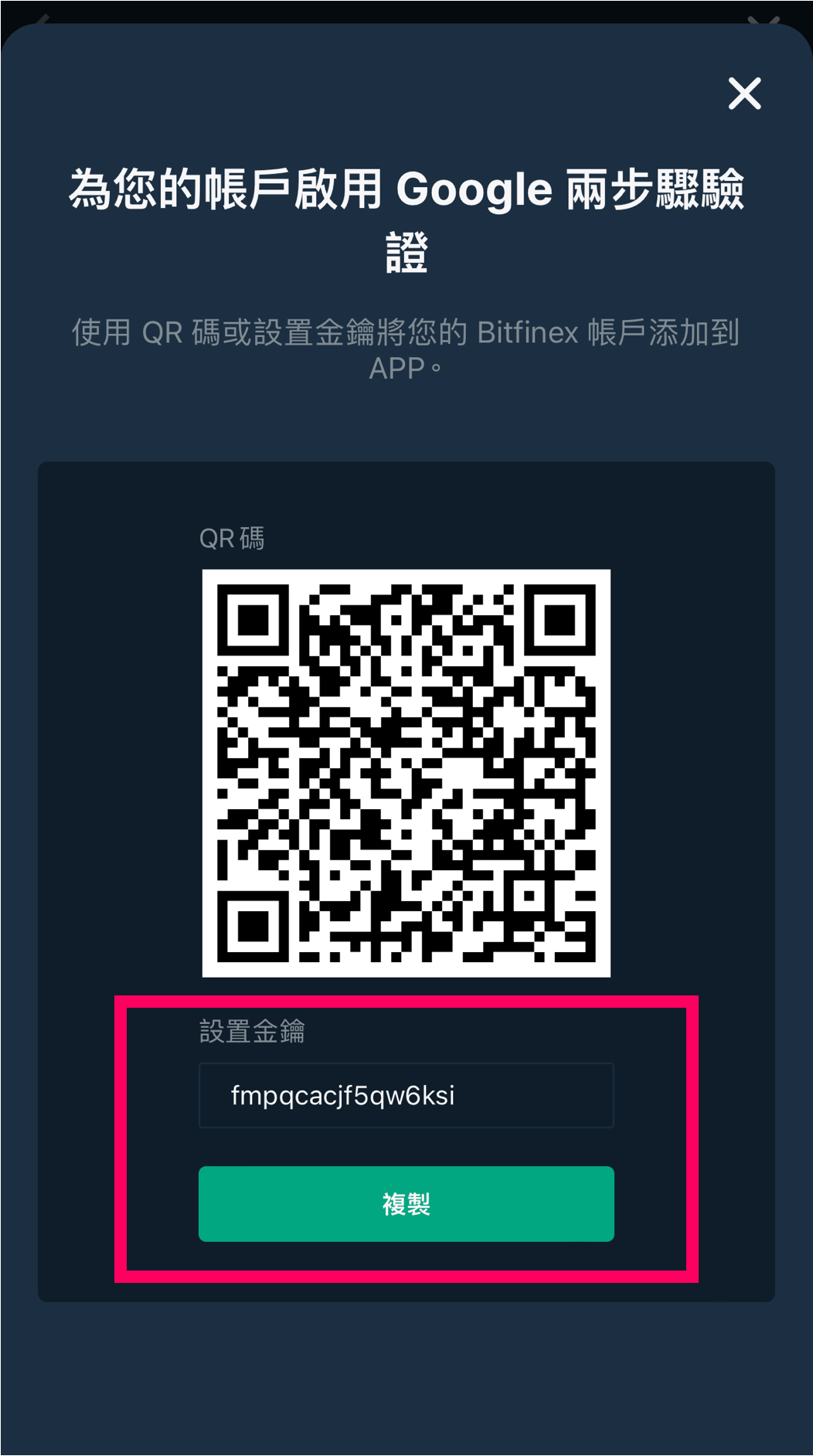
1–7 Open Google Authenticator and tap +
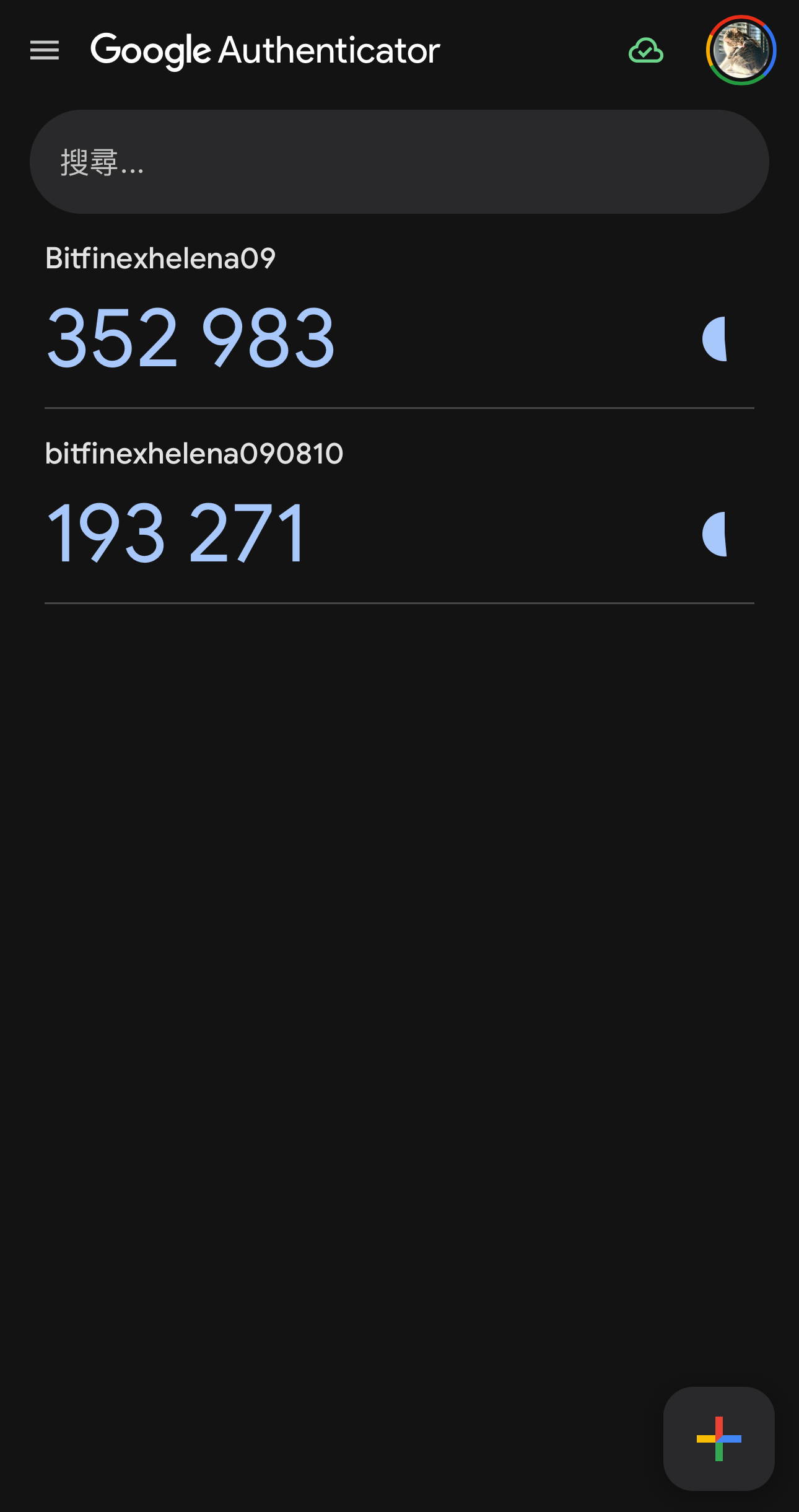
1–8 Paste the key and tap “Add”

1–9 Tap the code to copy it

1–10 Enter the code in the verification code field in Bitfinex and tap “Enable 2FA”

1–11 Open the email and tap the confirmation link. Then return to the Bitfinex app and tap “I’ve Confirmed My Email”

1–12 Finish registering your account
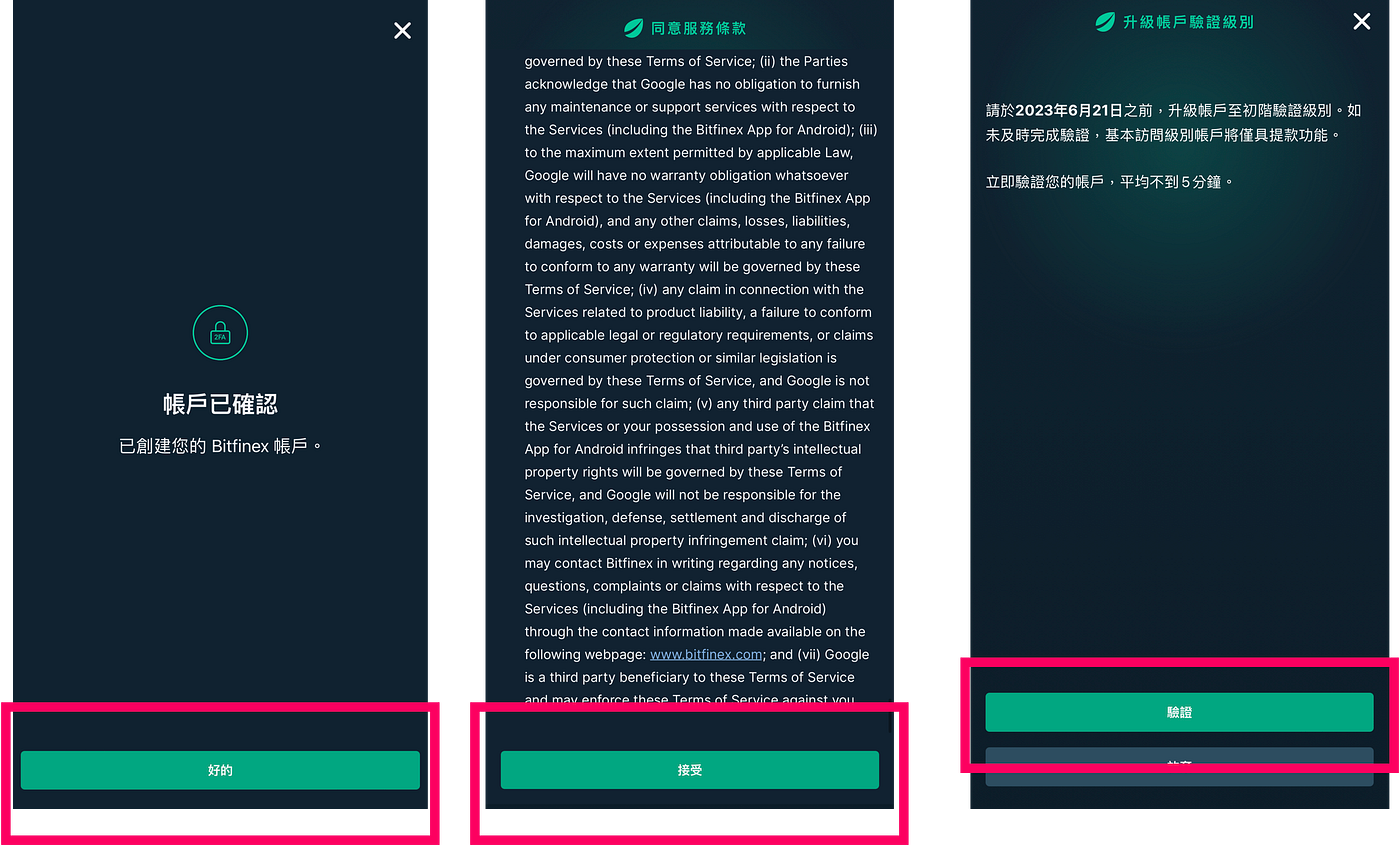
2. Complete Basic Plus verification
2–1 Return to the Bitfinex app, tap “Verification” to open the verification page, then tap “Upgrade to Basic Plus”
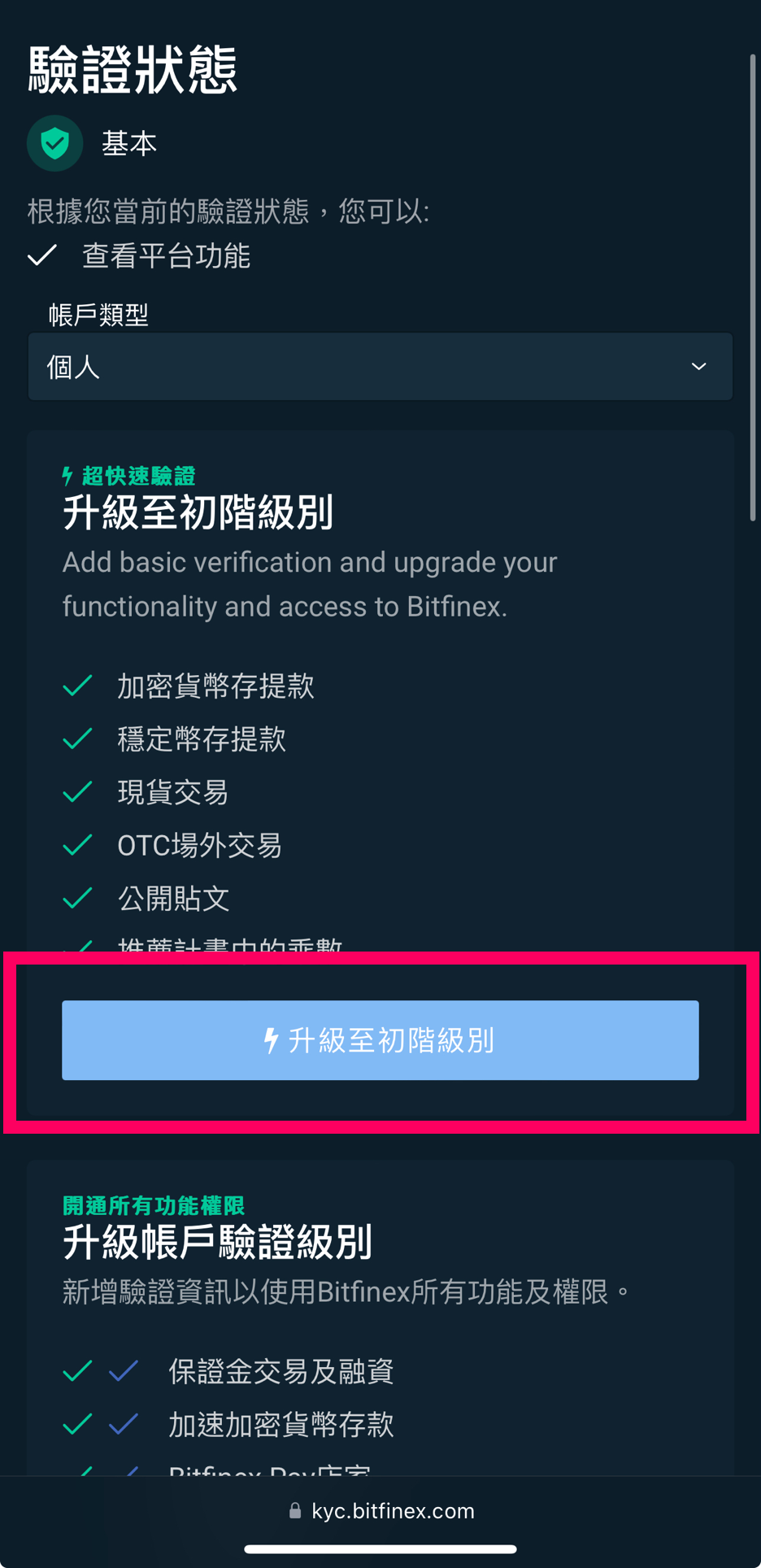
Tap “Continue”
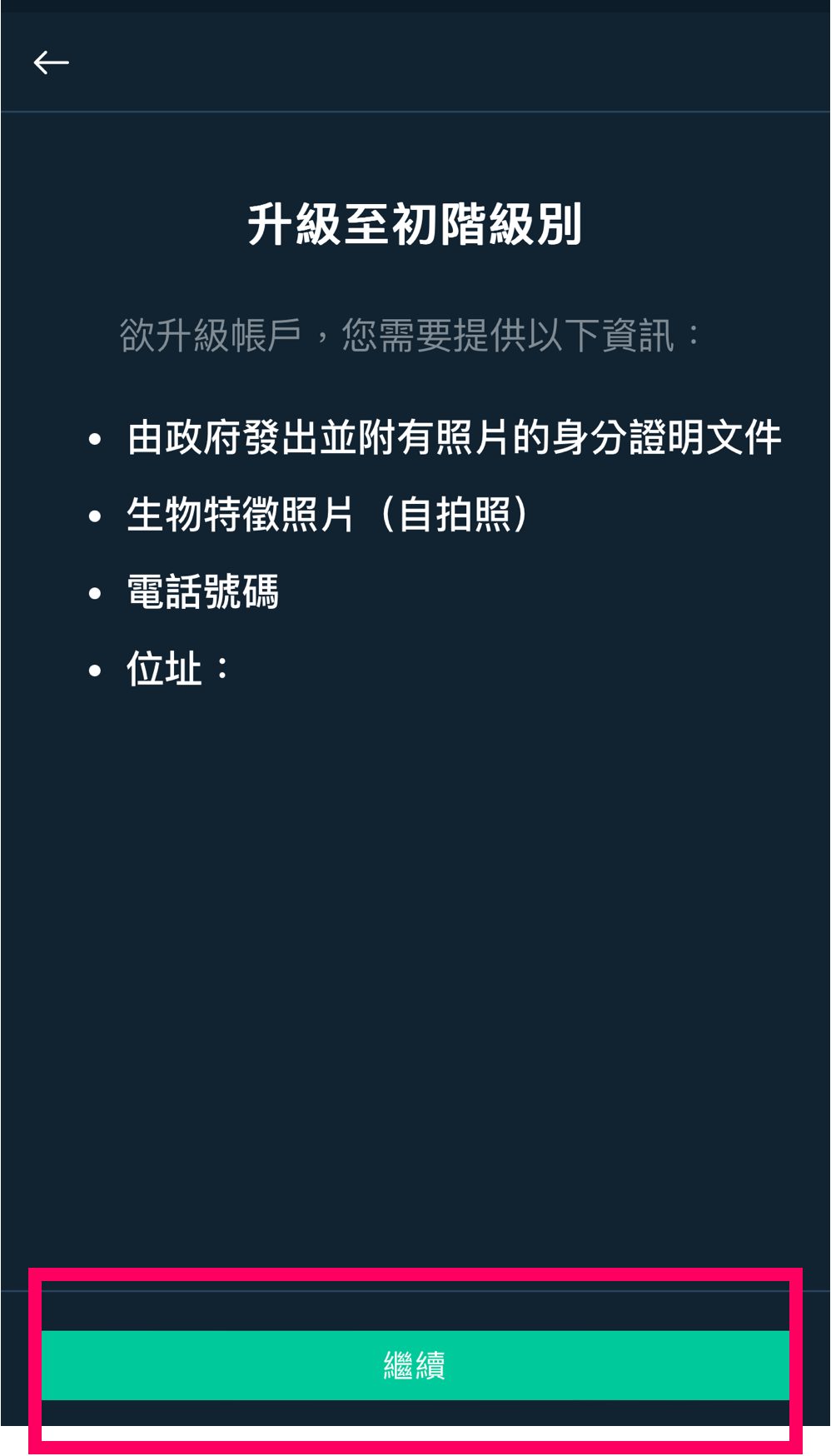
2–2 Submit your first identity document
- The ID must be current (for example, a driver’s license or passport)
- The ID must be government-issued
- The ID must include a photo
- The photo you take of the ID must be high-resolution and free of glare
- All four corners of the ID must be visible
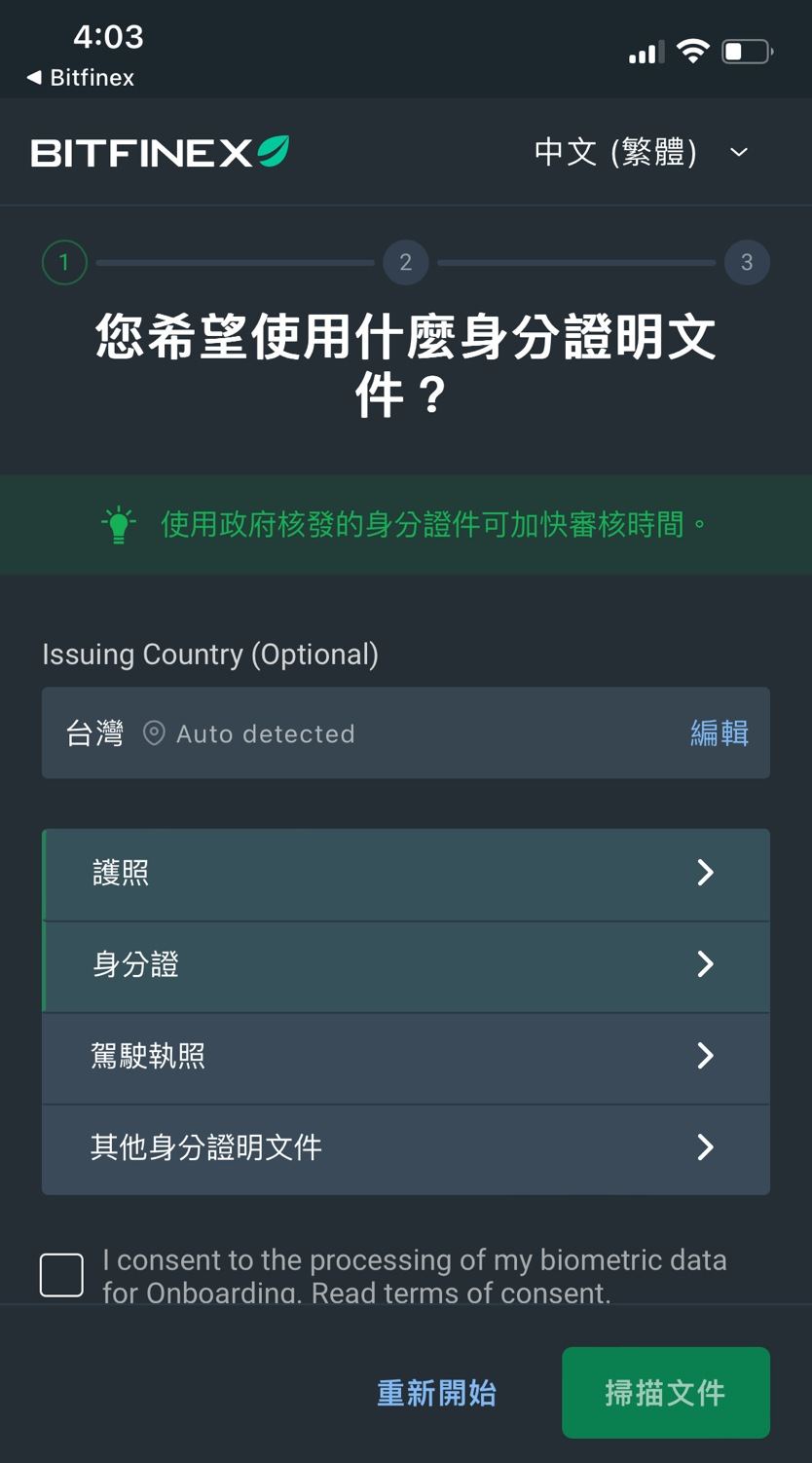
When you tap “Scan Document” to open the camera, hold your phone sideways to take the photo.
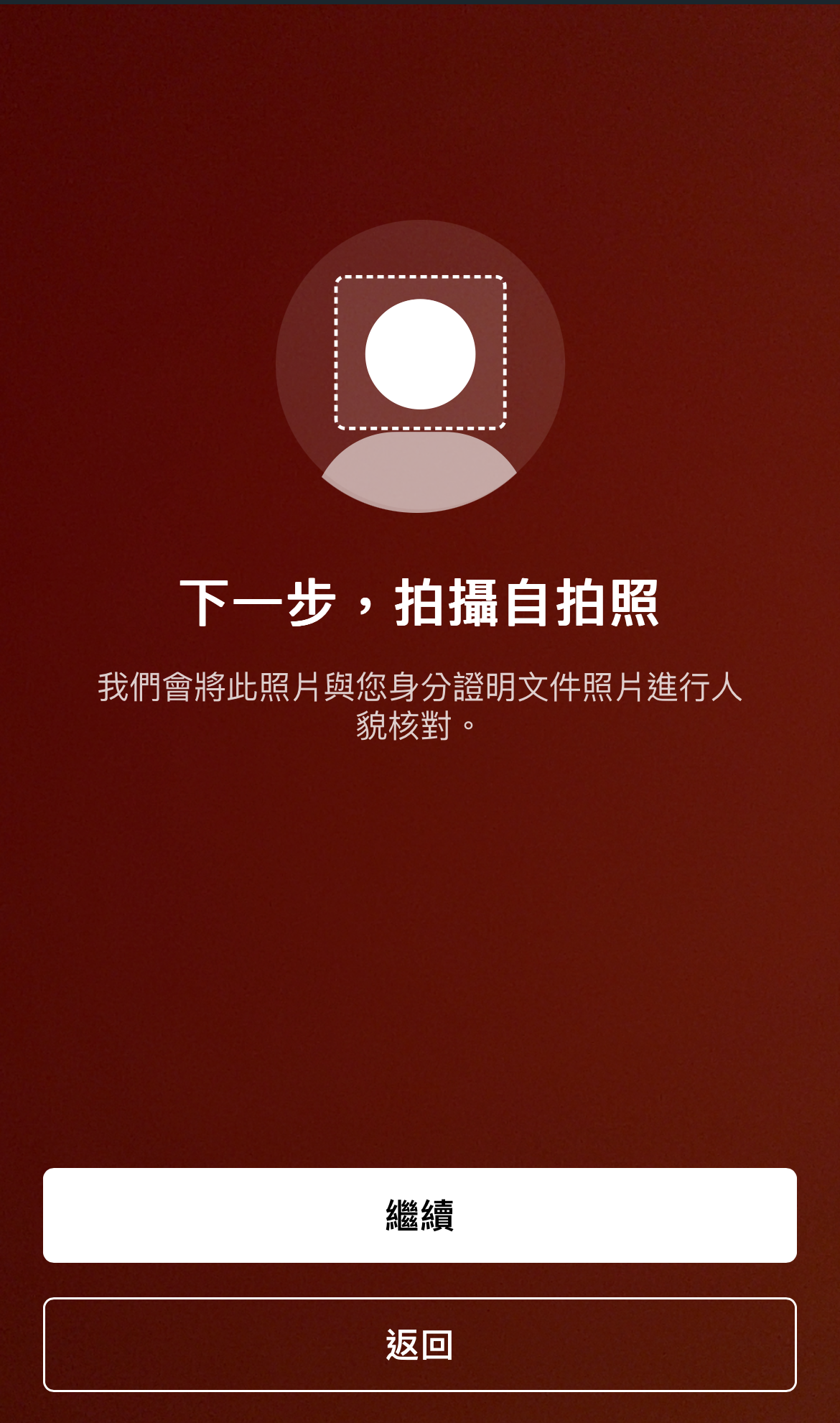
2–3 Take a selfie
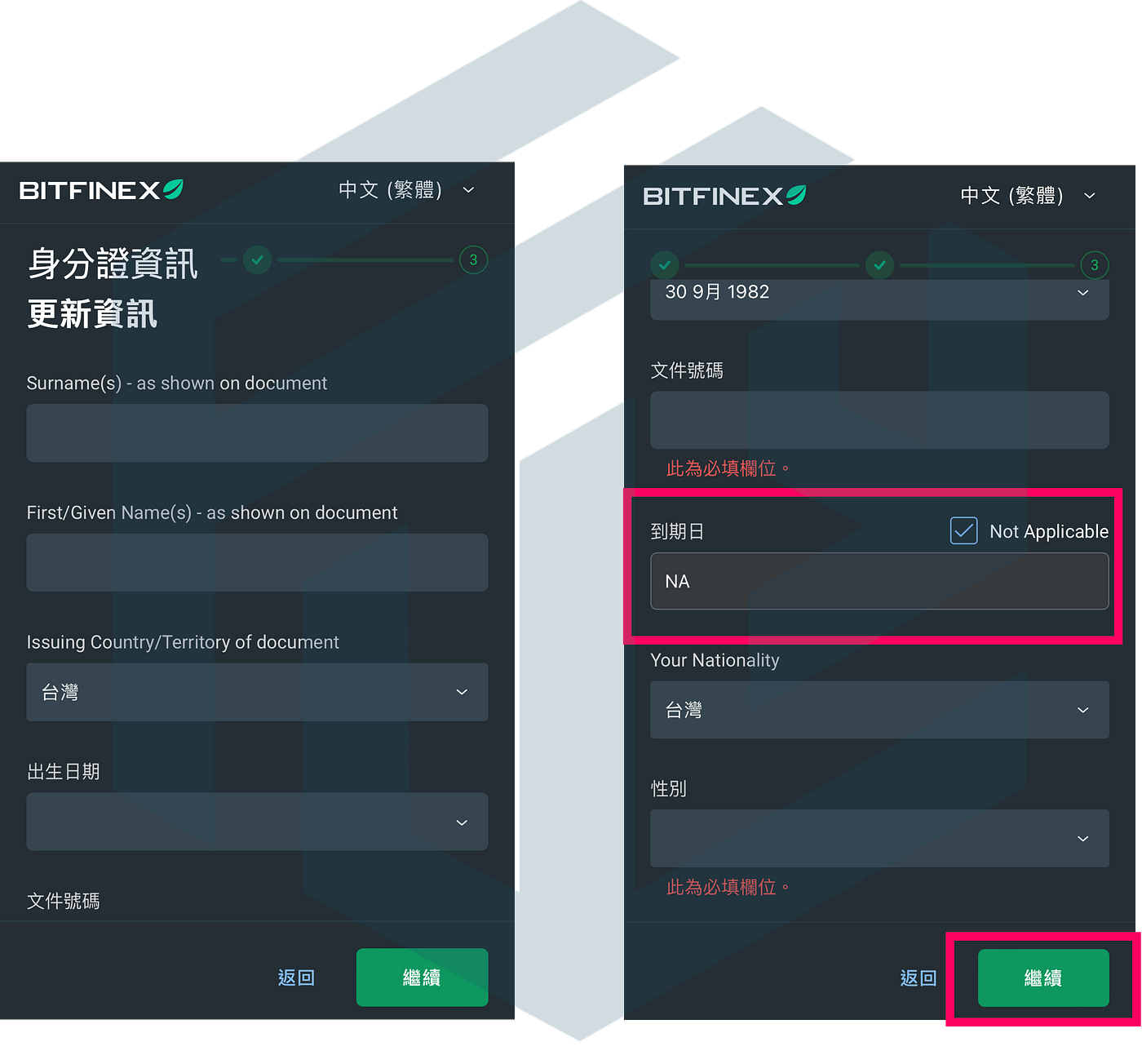
2–4 Enter the document details (using a national ID card as an example)
Enter your national ID number as the document number
For the expiration date, check “Not Applicable”
Tap “Continue”
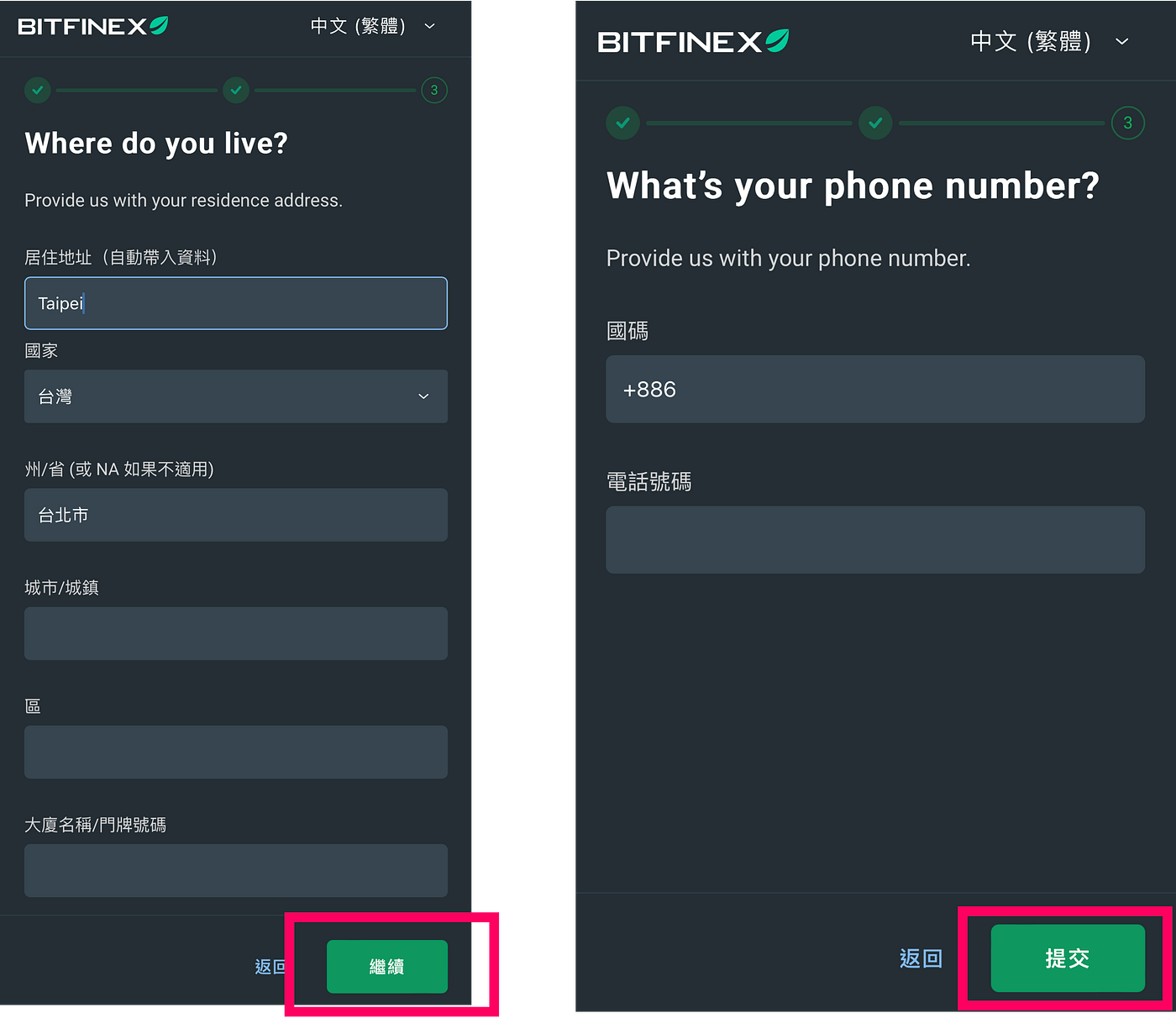
2–5 Enter your address and phone number
Tap “Submit” when you’re done
2–6 Get approved for Basic Plus verification
Basic Plus verification is usually approved quickly. Tap “Back to Verification”

3. Complete Intermediate verification
3–1 Tap “Upgrade to Intermediate”
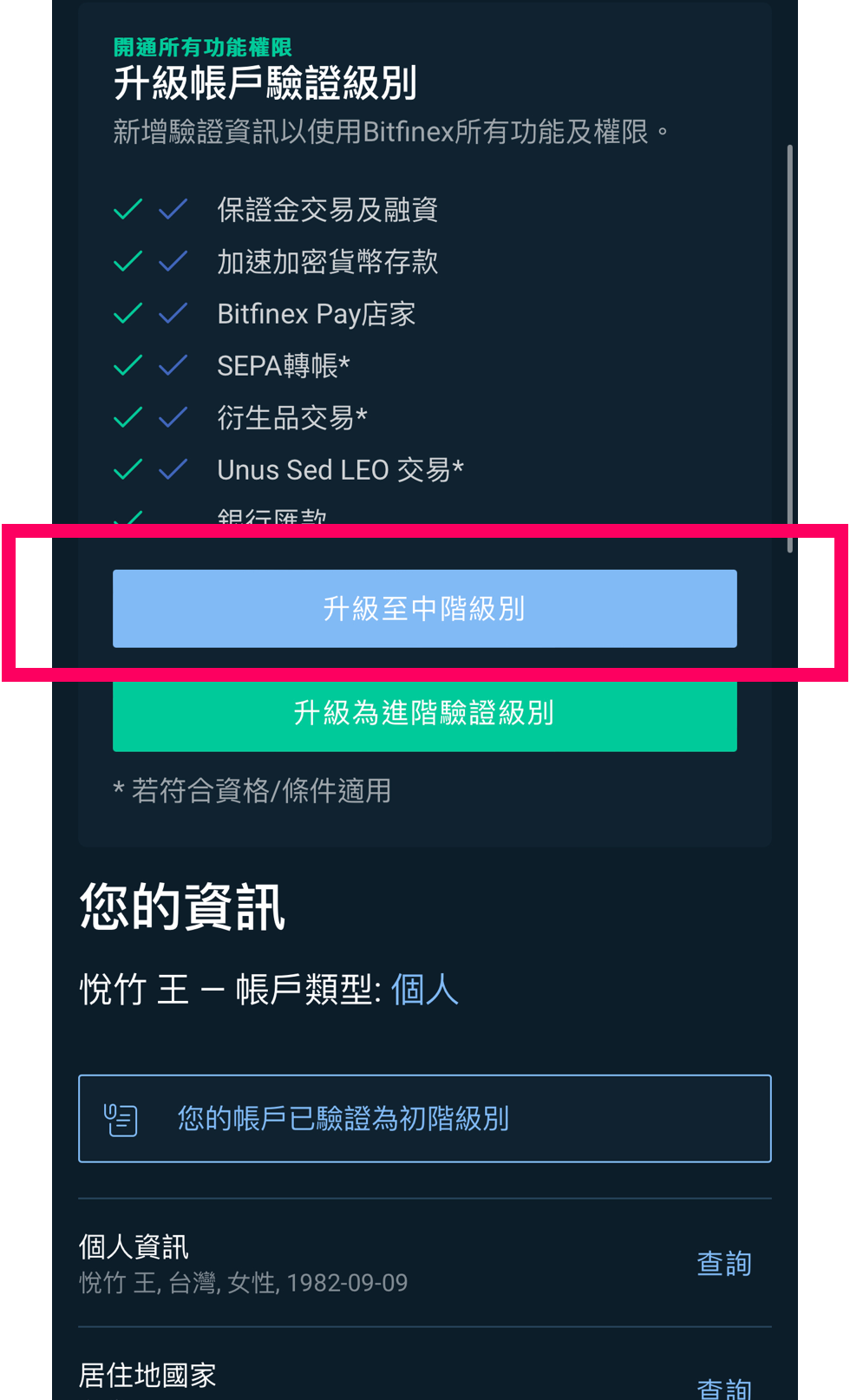
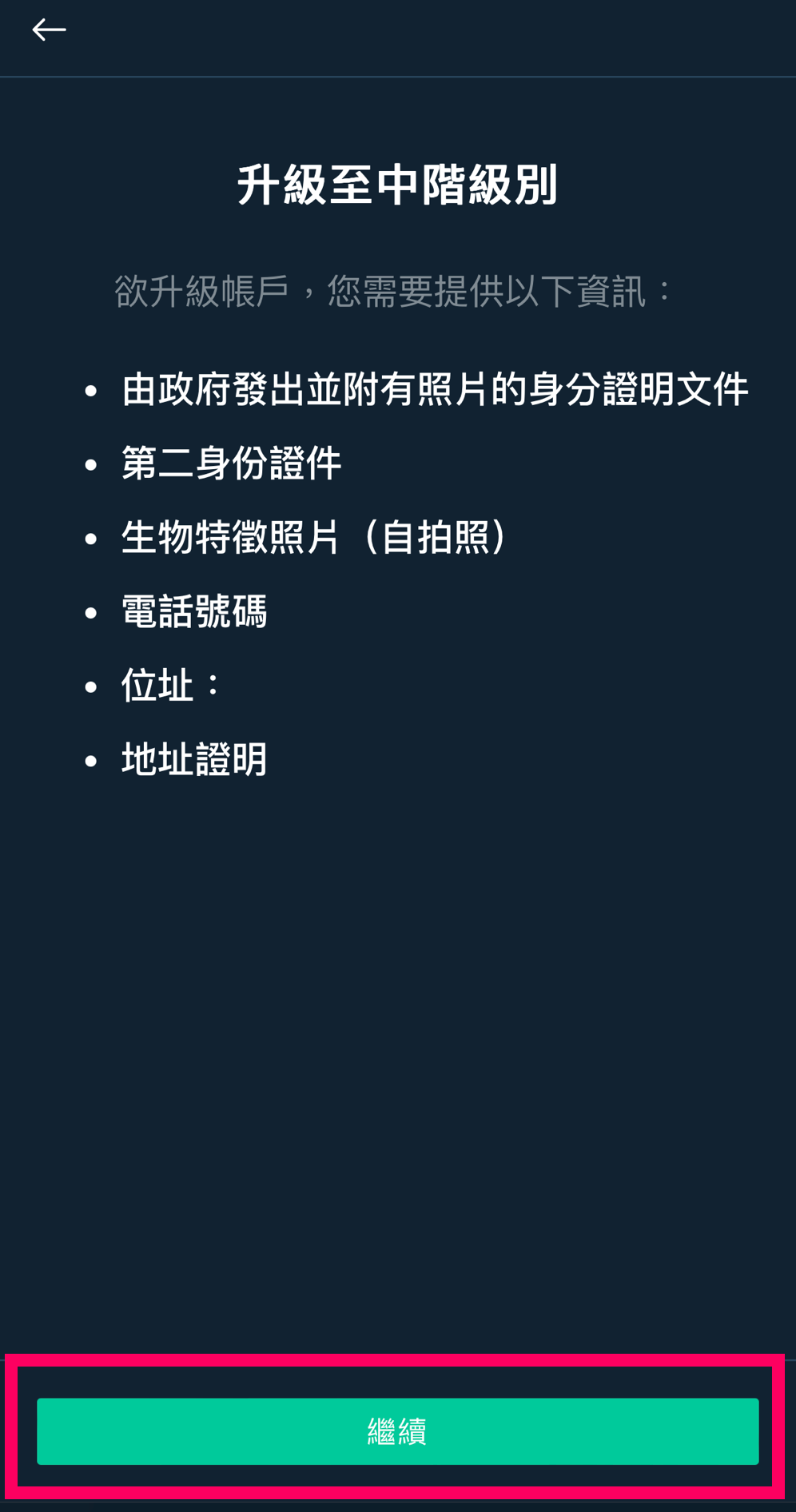
3–2 Tap “Continue”
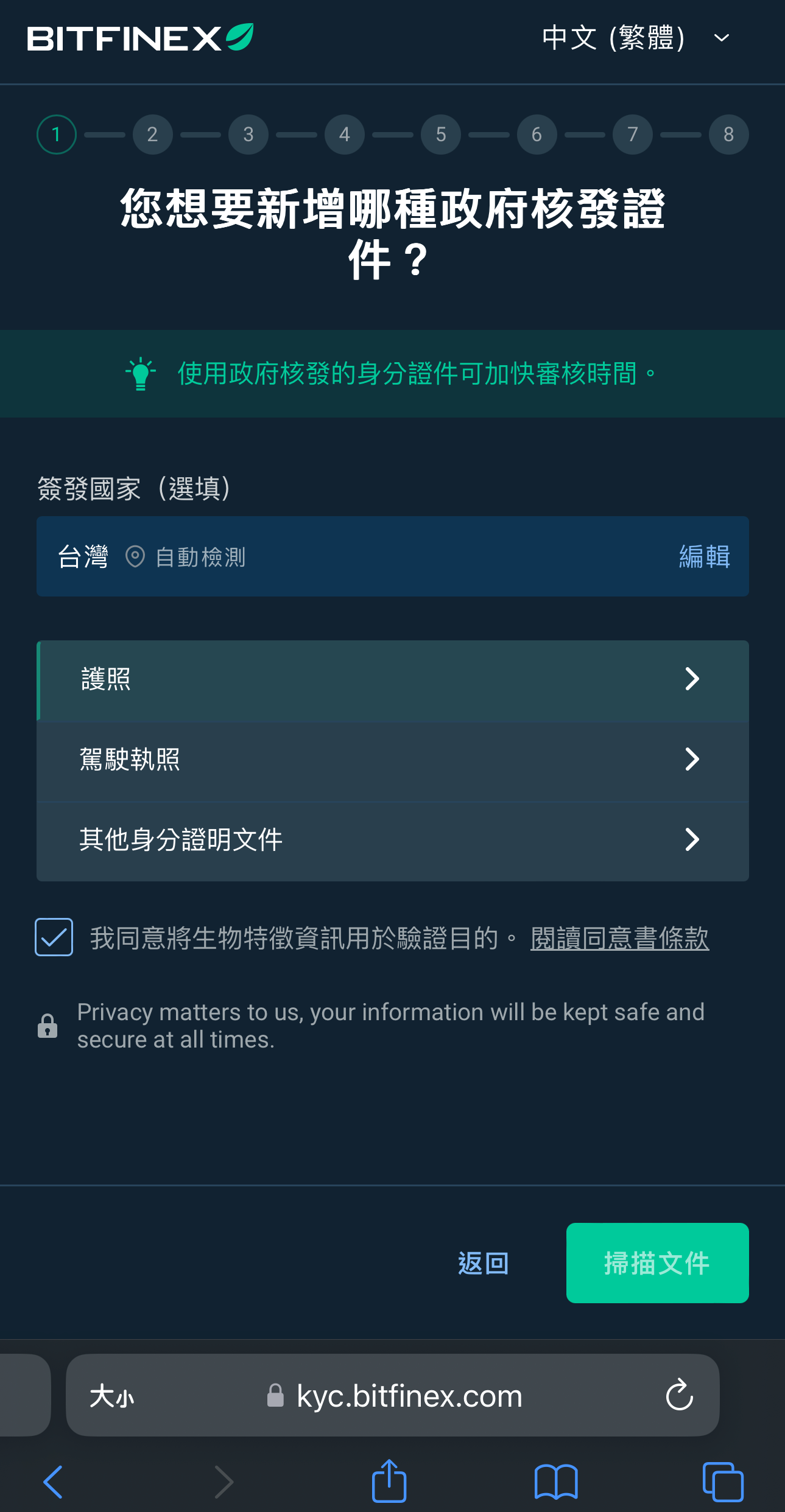
3–3 Verify your second ID
If you’re using a Taiwan National Health Insurance card, select “Other Identity Document”
3–4 Double-check the details for your first identity document and enter the details for your second identity document
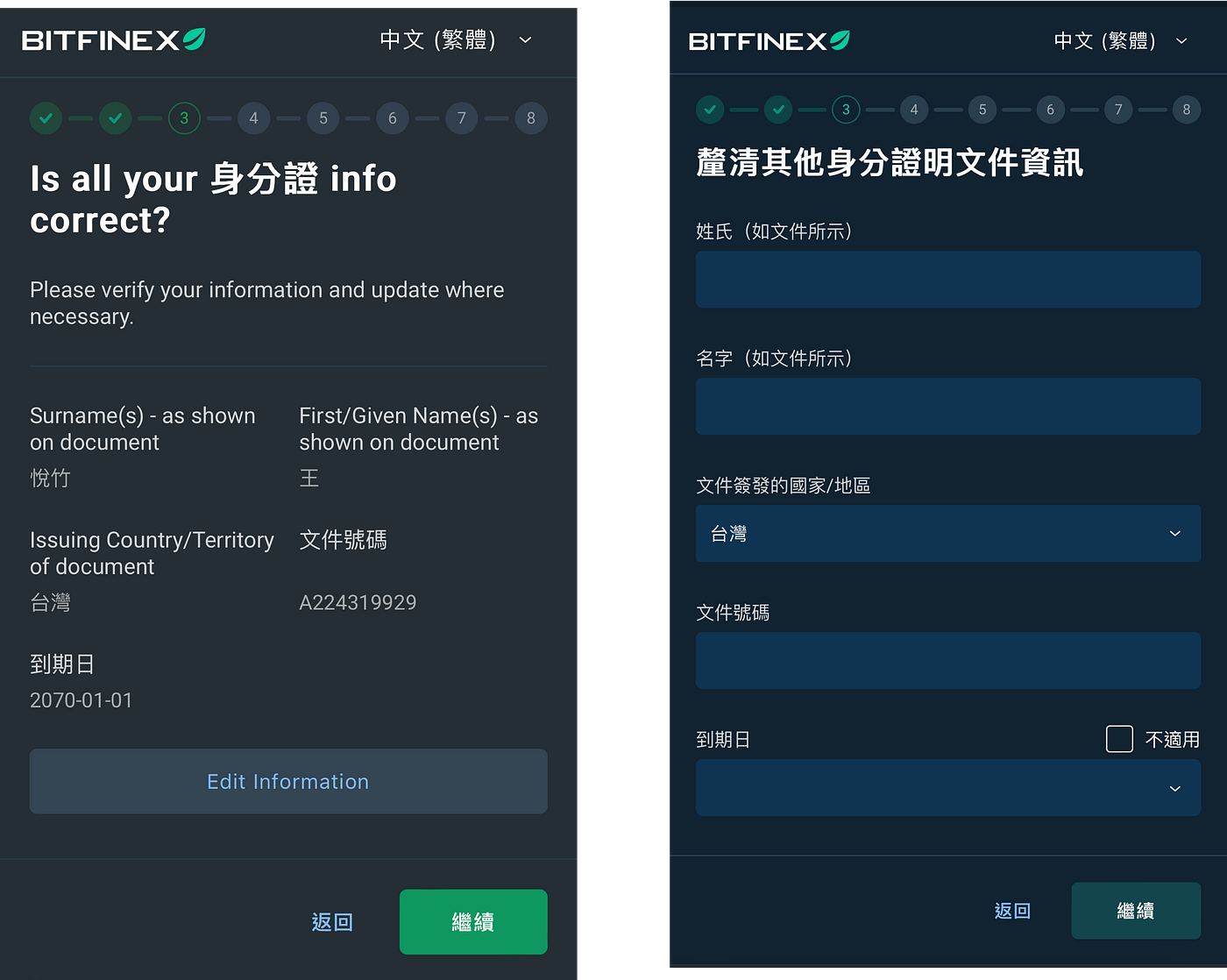
3–5 Double-check your address and phone number
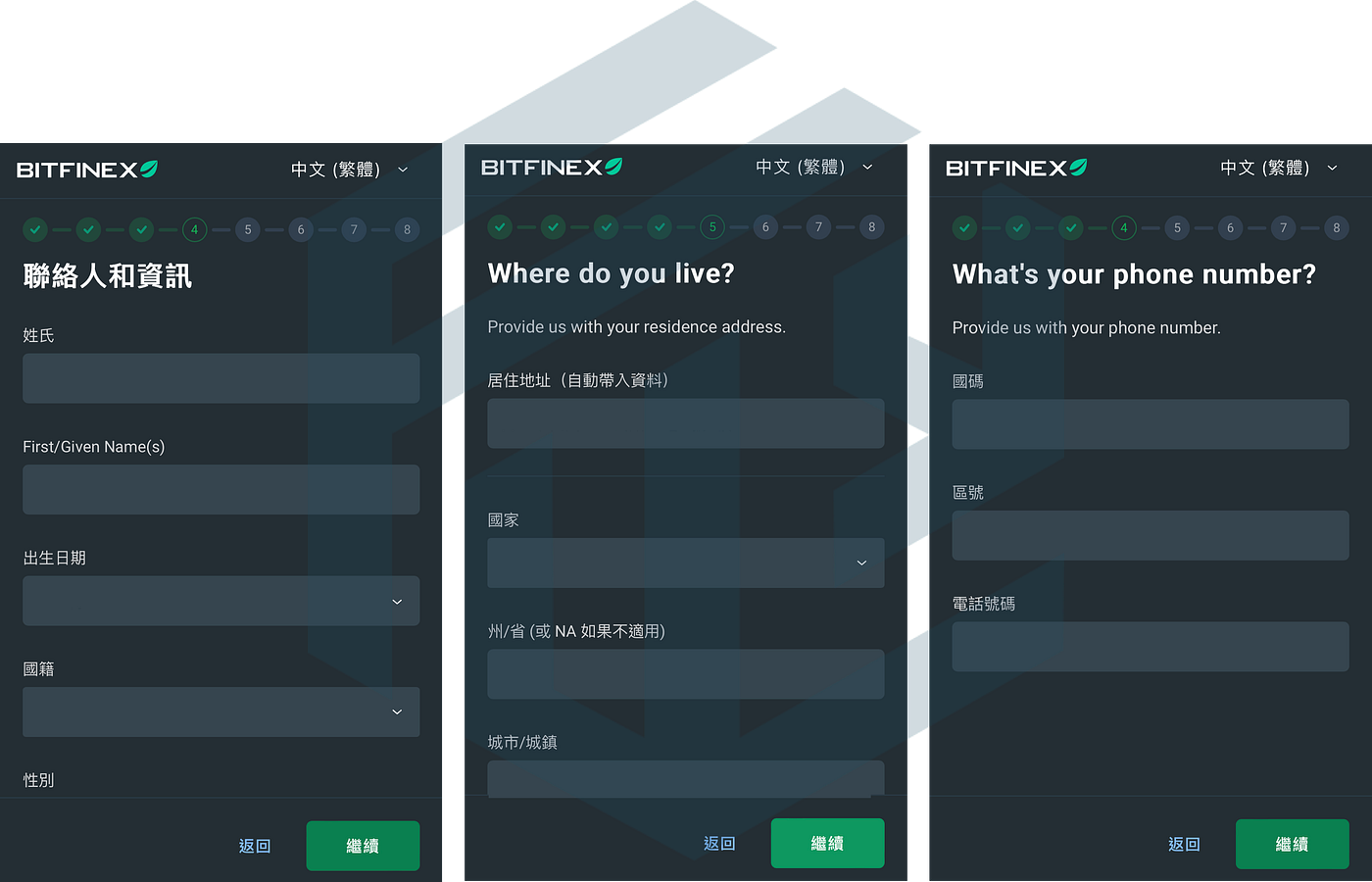
3–6 Verify your address
Documents in Chinese are accepted
The document must have been sent within the past 90 days
The document must show your name, address, and the document date
A government-issued document is preferred
The next best option is a document from a financial institution or telecom provider, such as a bill
Accepted examples include an electronic household registration transcript, a labor and health insurance premium notice, or a shareholders’ meeting notice
The address shown on the document must match the residential address you entered
When taking the photo, make sure all the information and all four corners of the document are visible

3–7 Take a photo on the spot or upload an existing one

3–8 Enter the document date and tap “Continue”
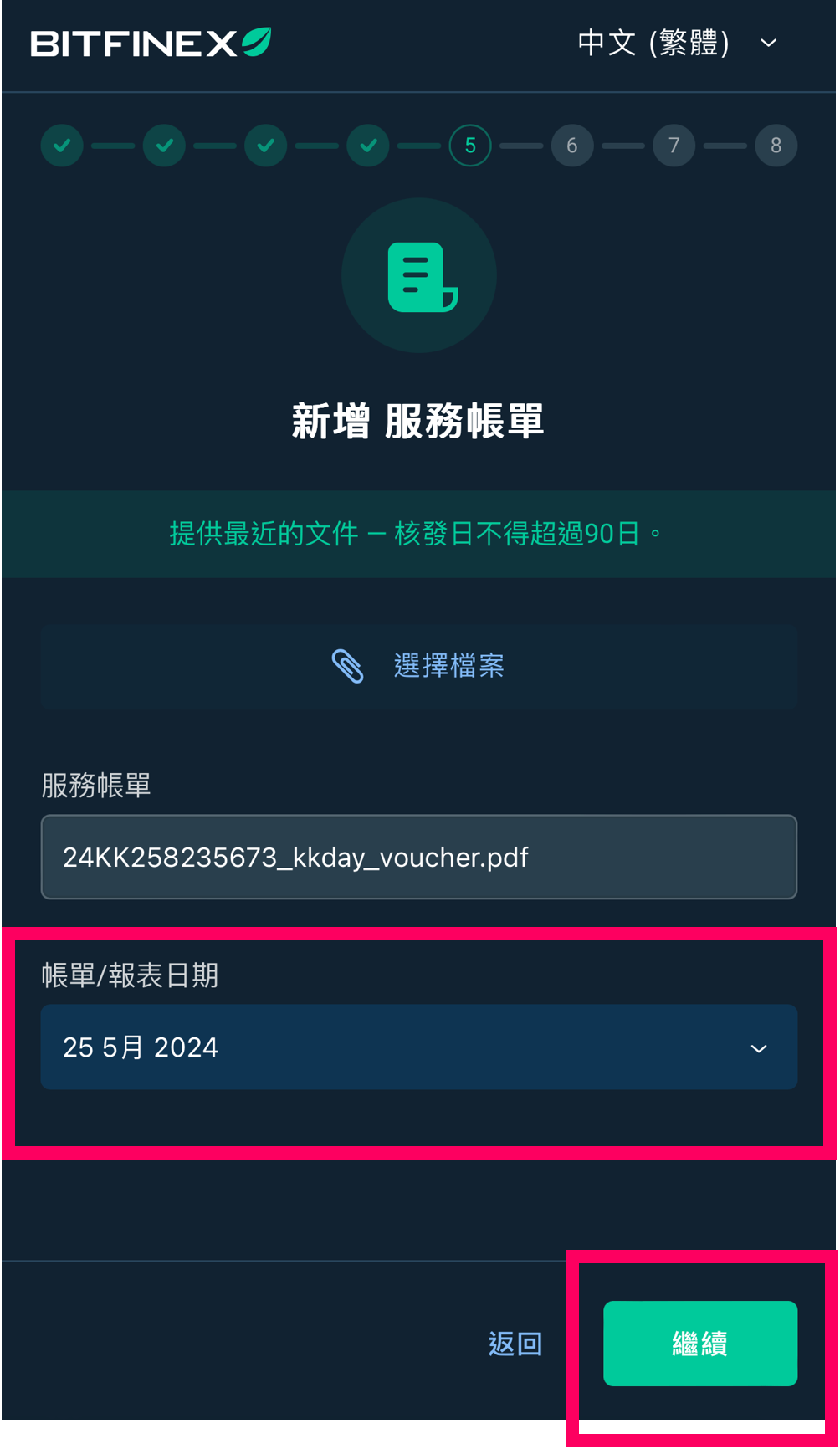
3–9 Select “The document is in Latin script” and tap “Continue”

4. Complete Full verification
You only need this step if you plan to deposit funds by wire transfer
Use a foreign currency account for verification
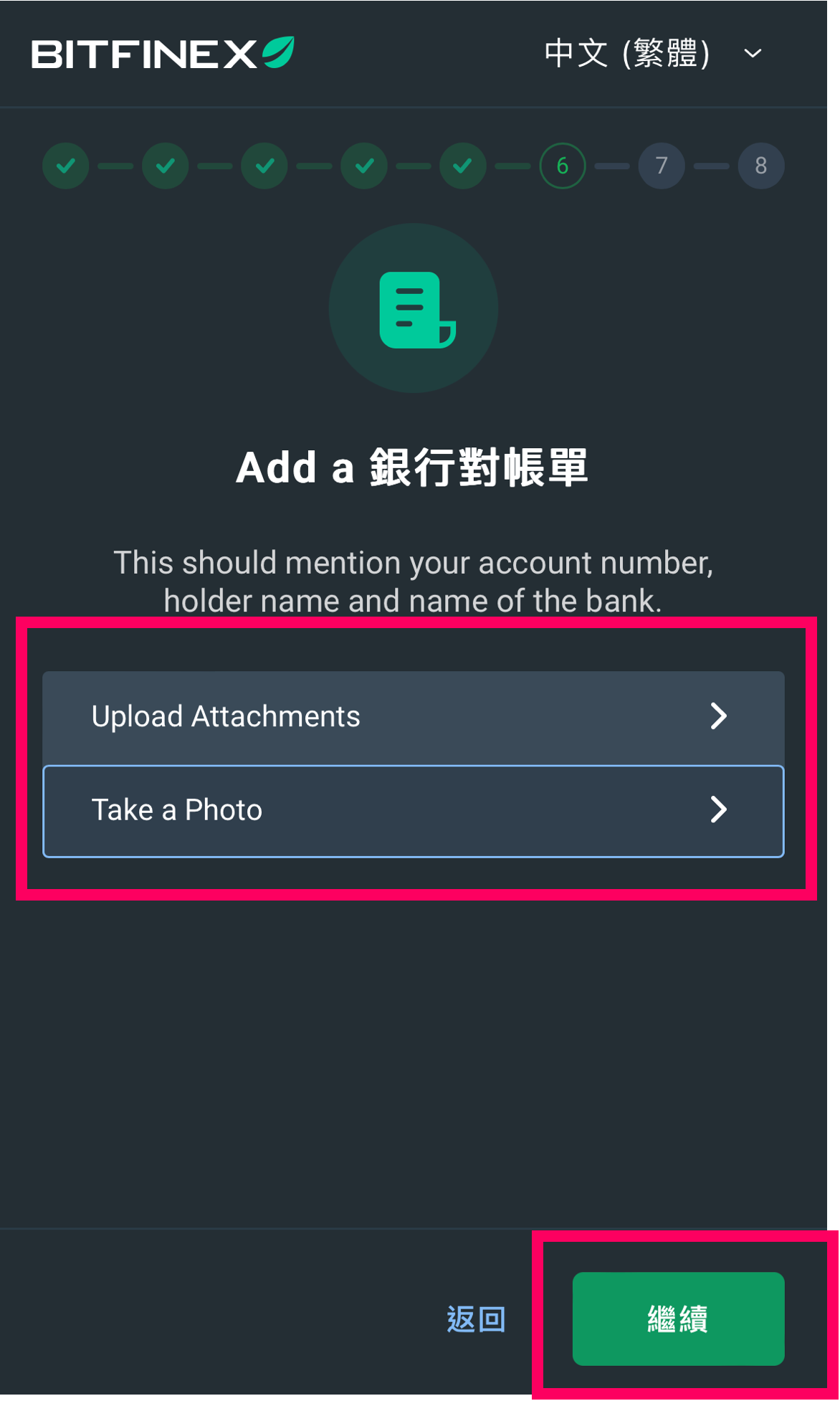
The photo of the document must show your name, account number, and bank name
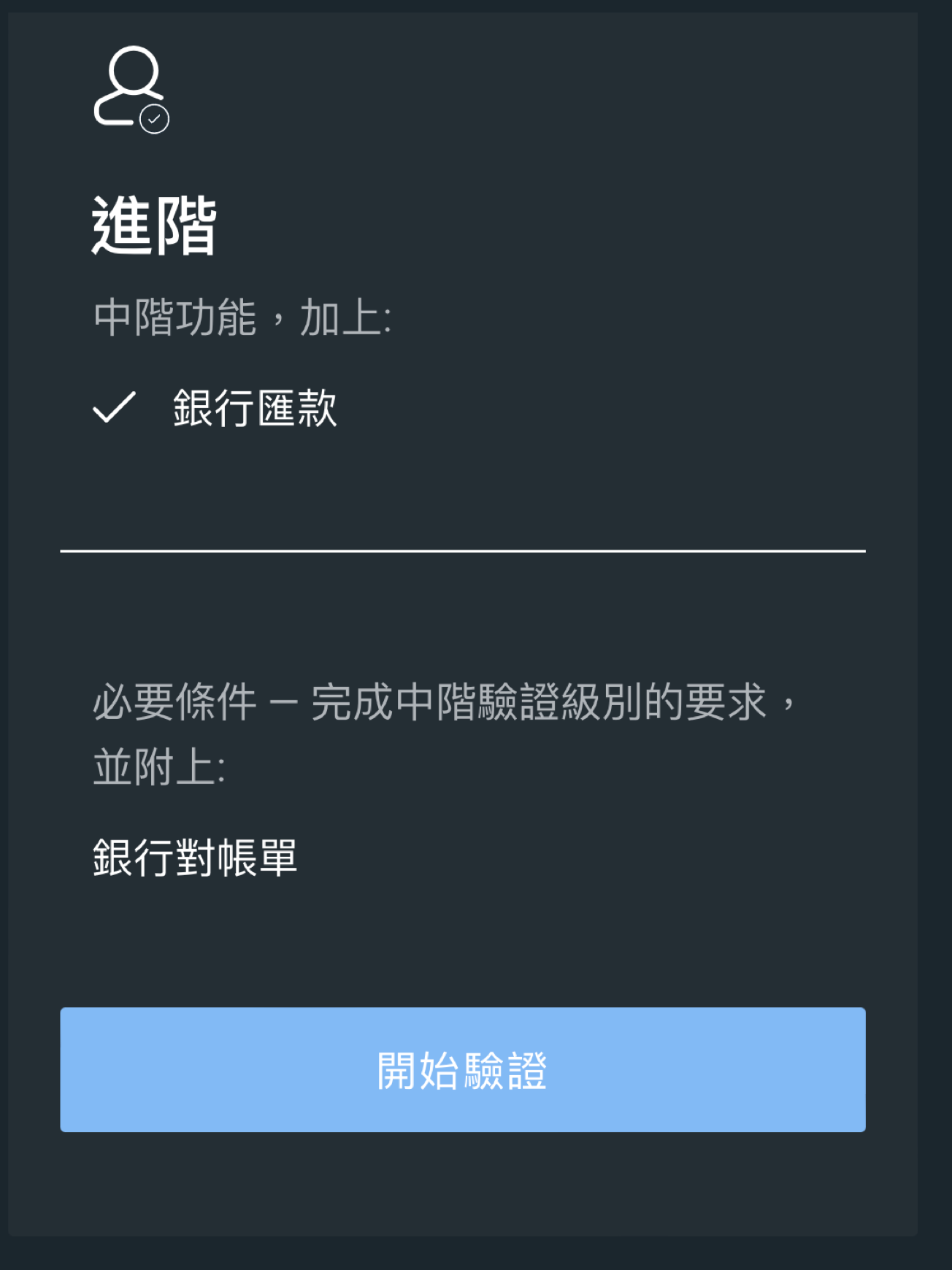
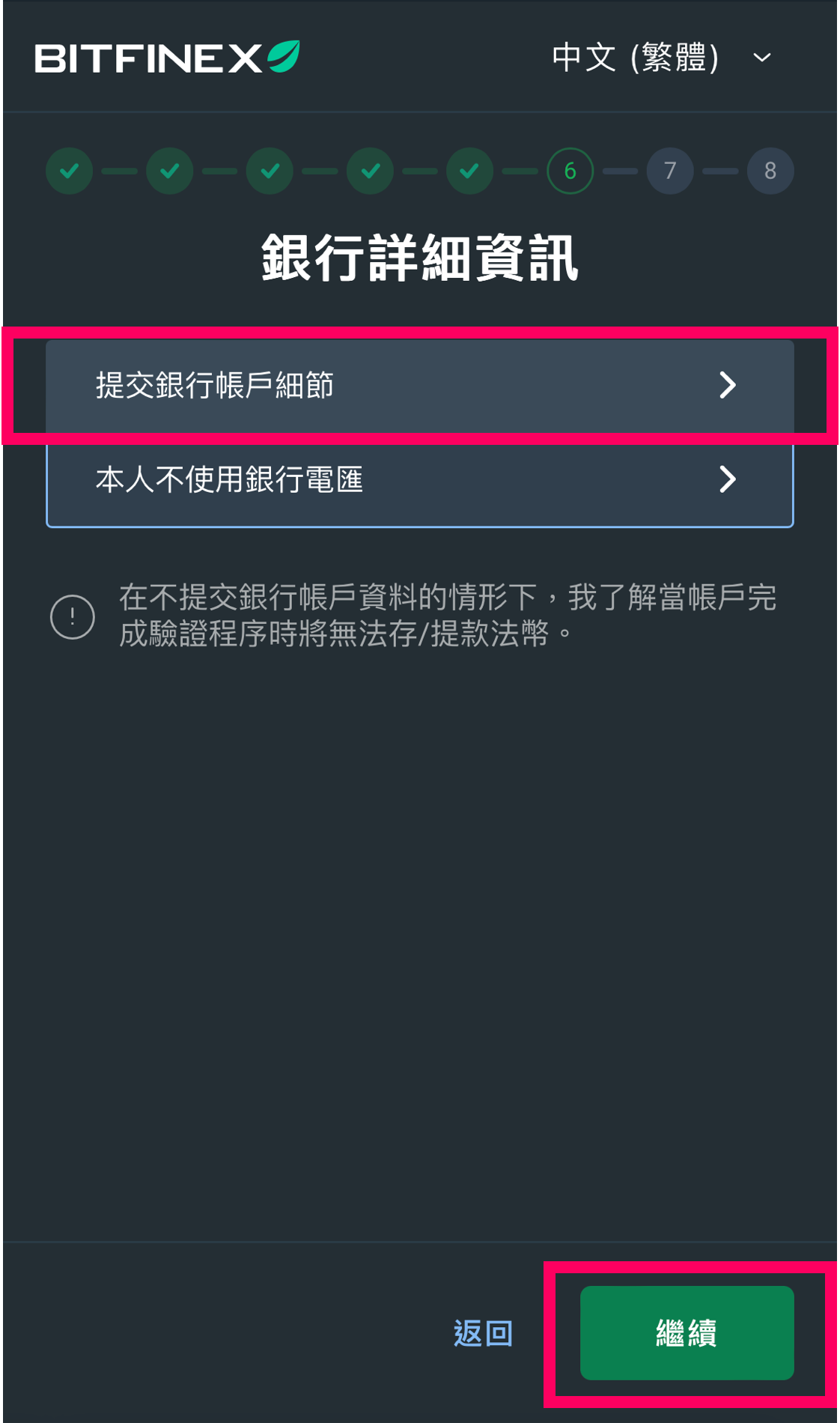
4–1 Select “Submit Bank Account Details” and tap “Continue”
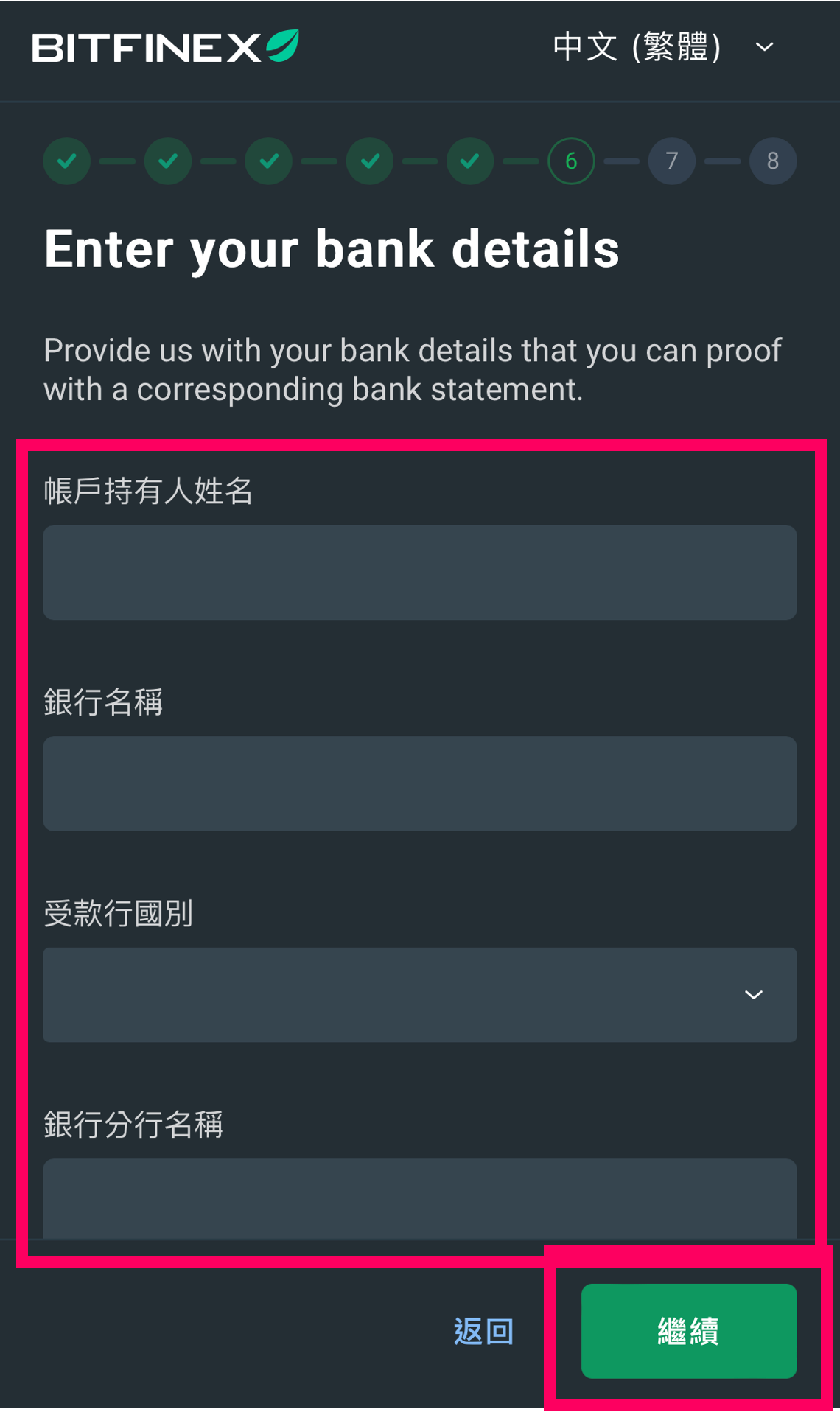
4–2 Enter your bank account details
4–3 Upload a bank statement or take a photo of it on the spot (statements in Chinese are accepted)
4–4 Enter the statement date
4–5 Fill out the financial questionnaire and select your employment status (answer truthfully)
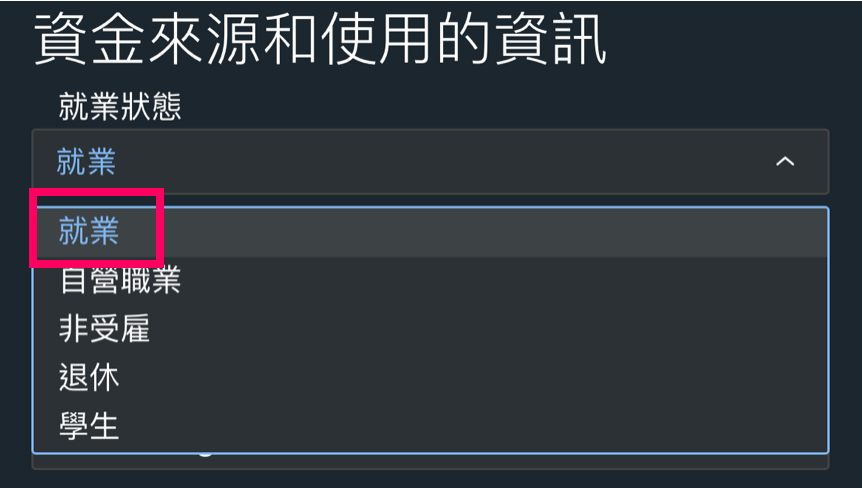
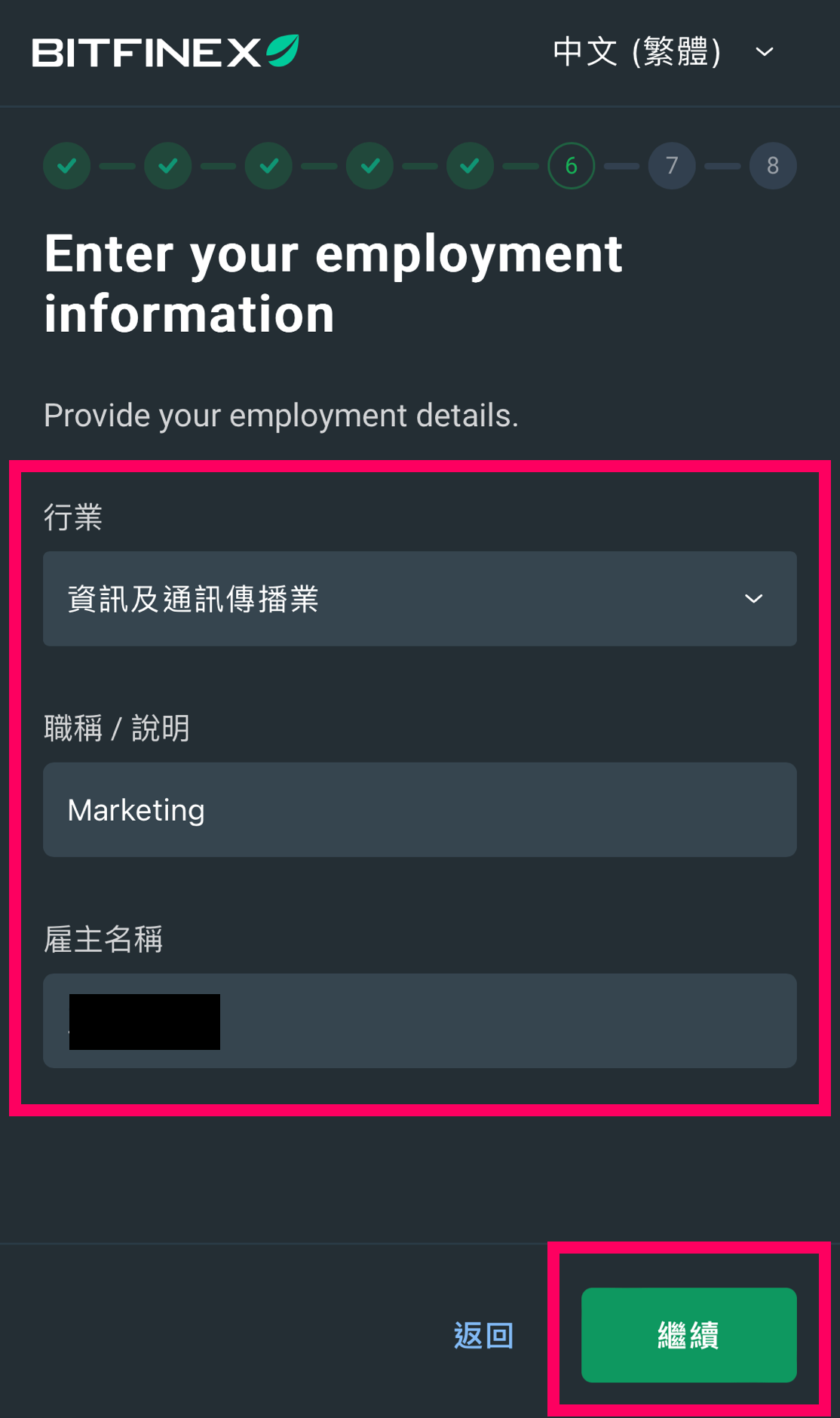
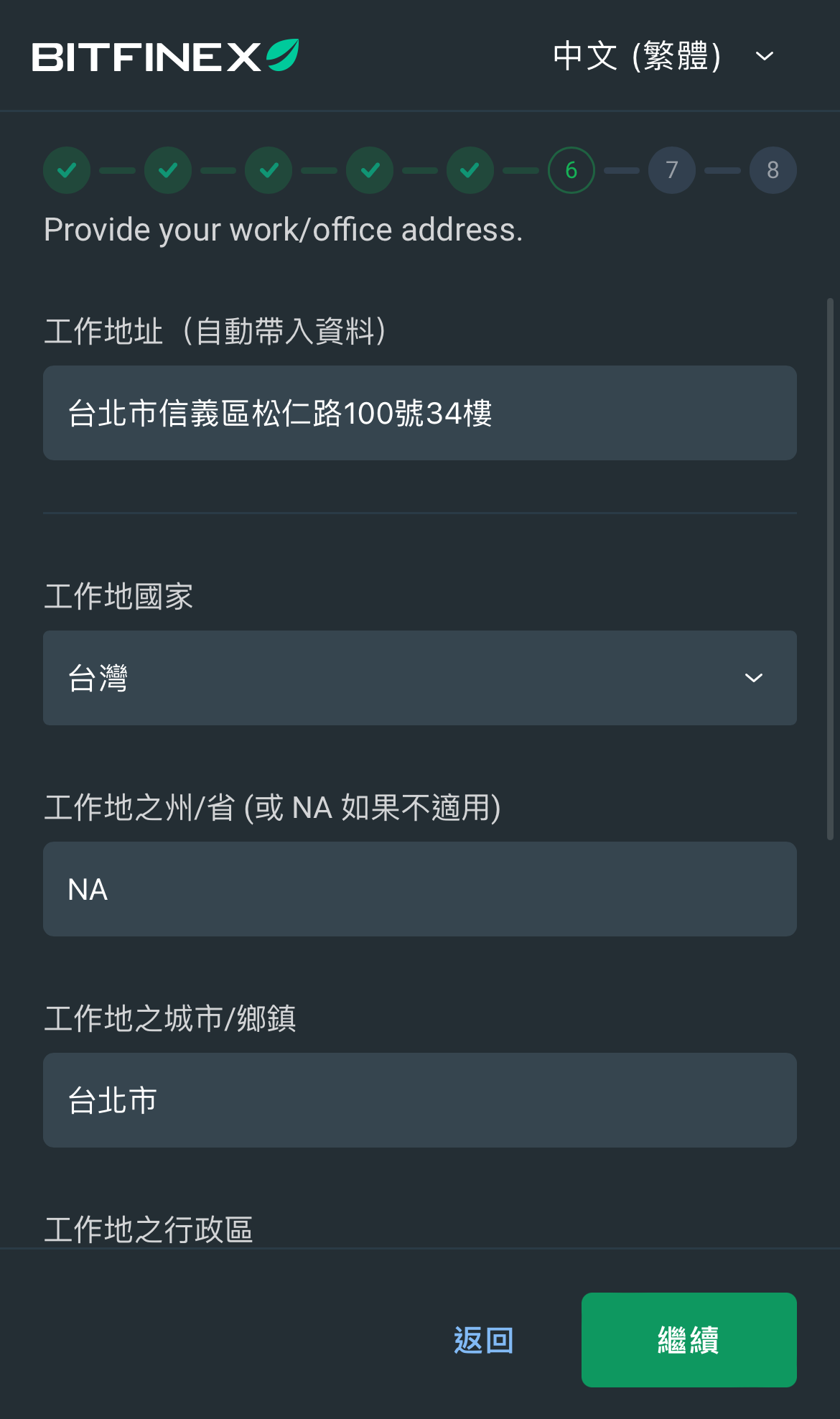
4–6 Enter your employment details
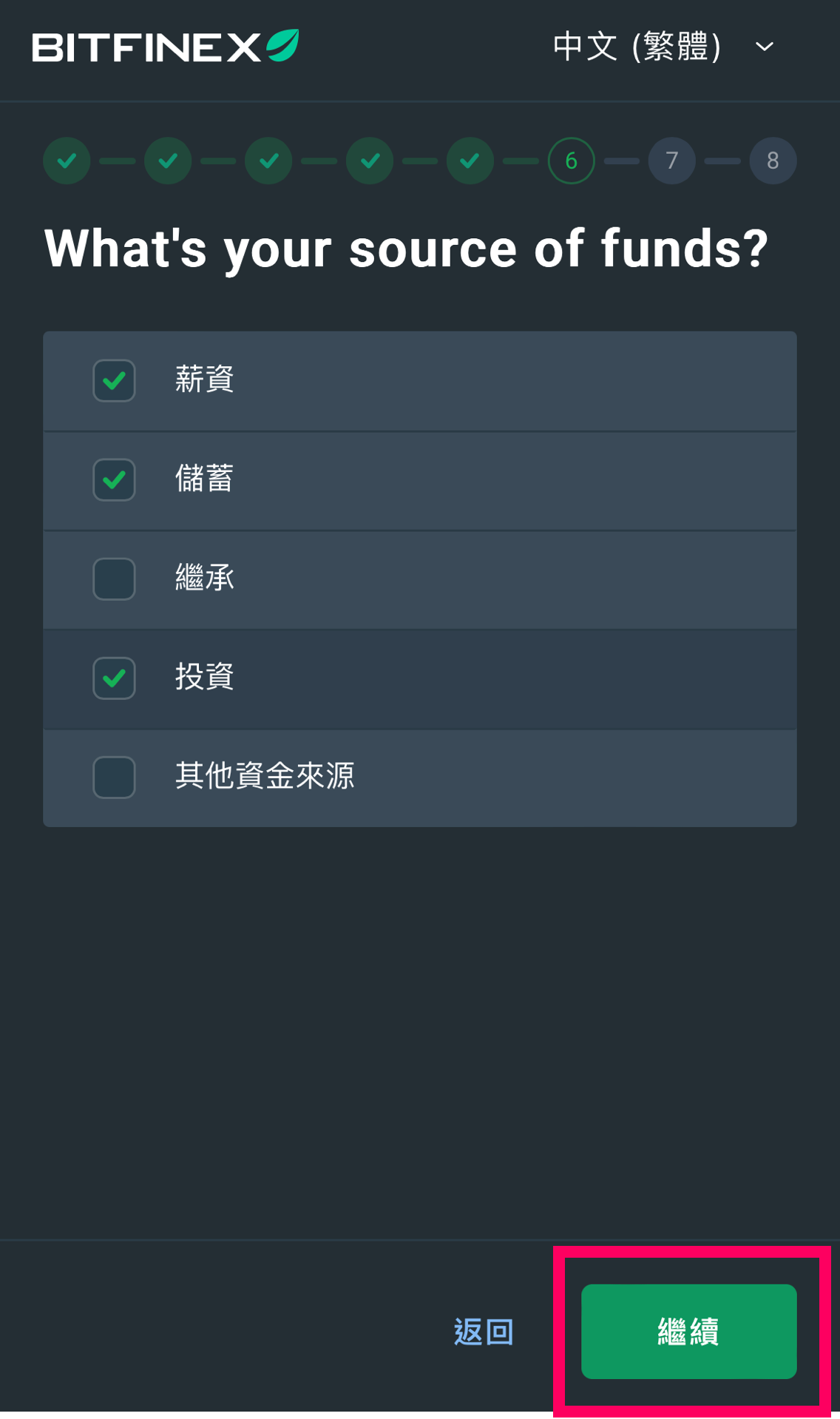
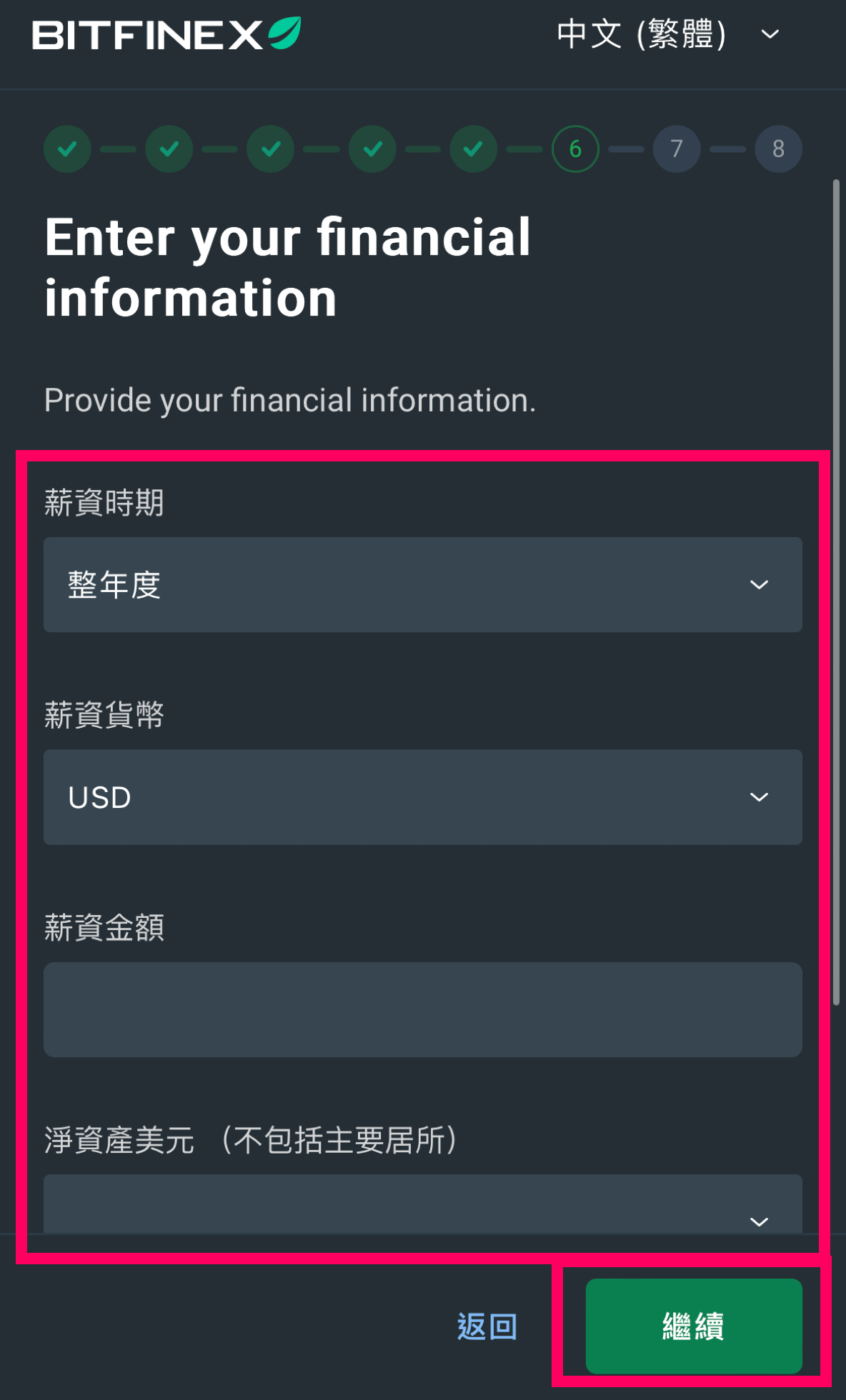
4–7 Enter your financial information

4–9 Fill out the KYC declaration form

4–10 Complete KYC verification

KYC verification can take anywhere from about 20 minutes to a month, depending on how many people are signing up.
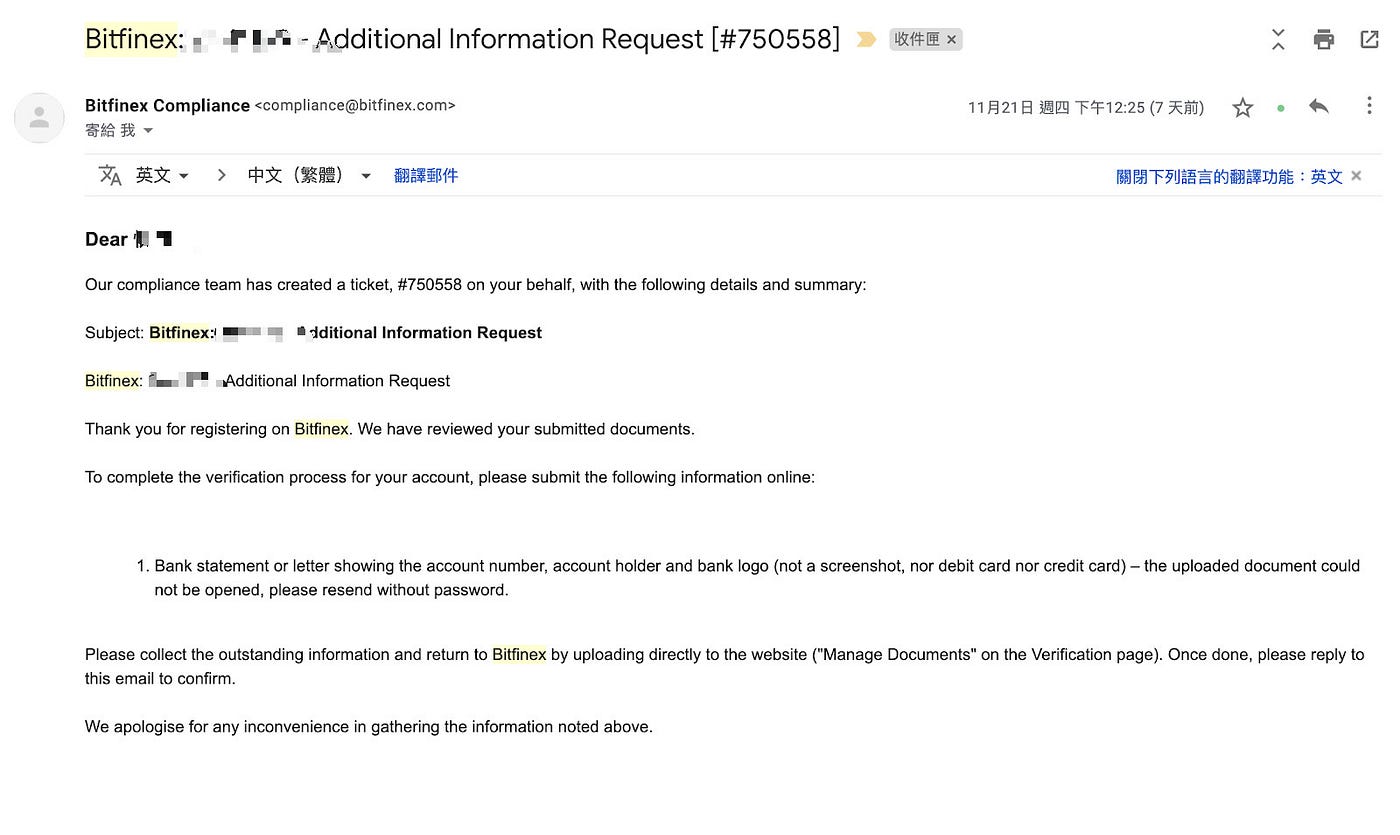
If an issue with your uploaded documents prevents approval, you’ll get an email from Bitfinex
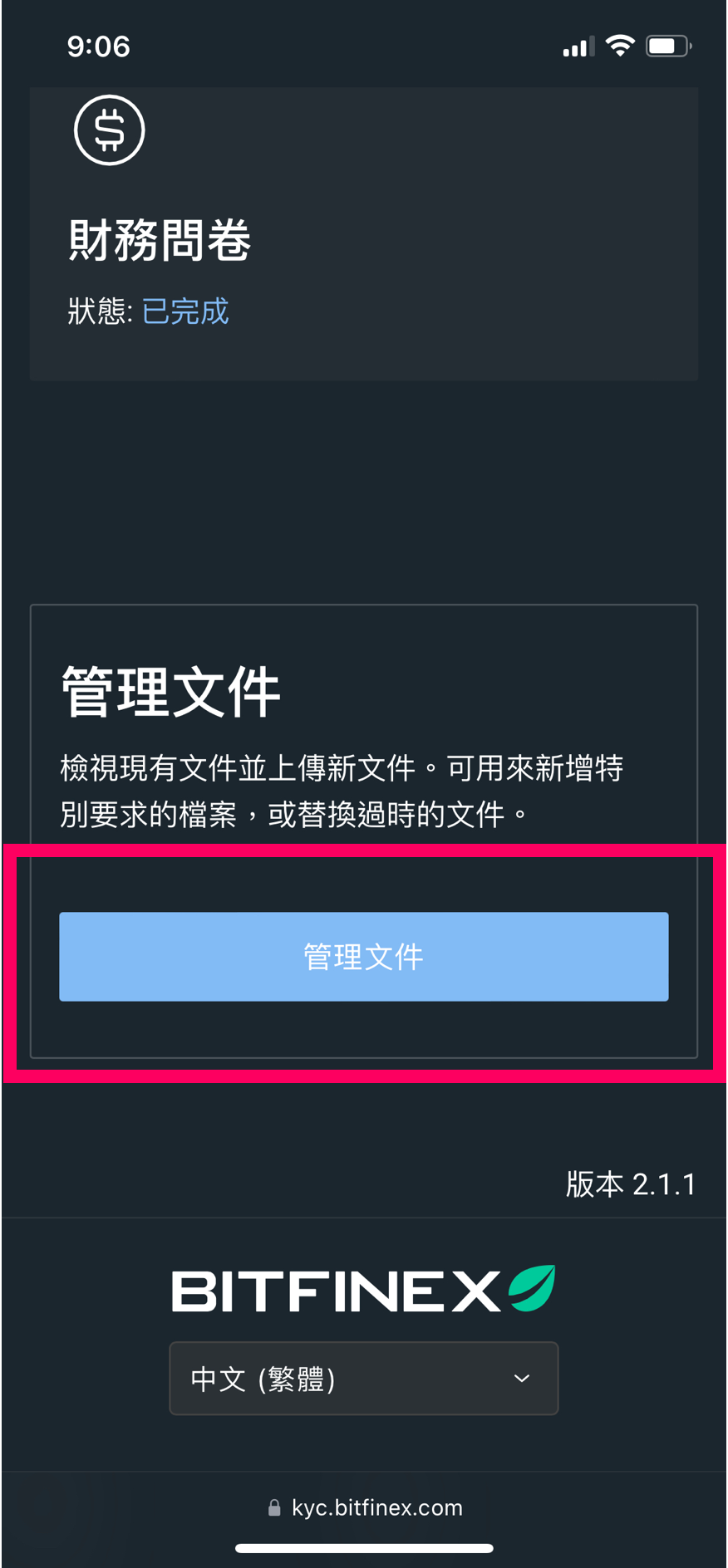
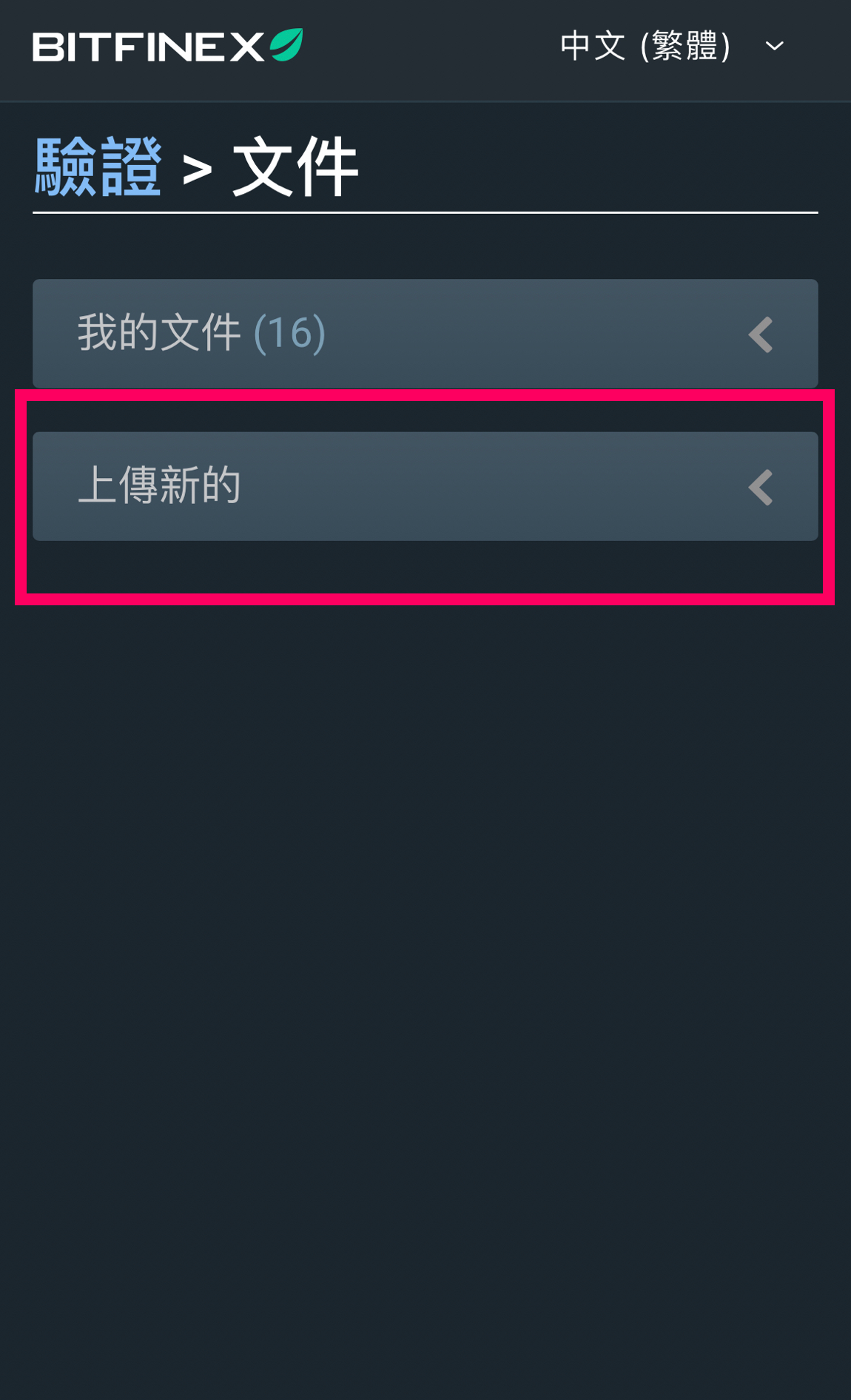
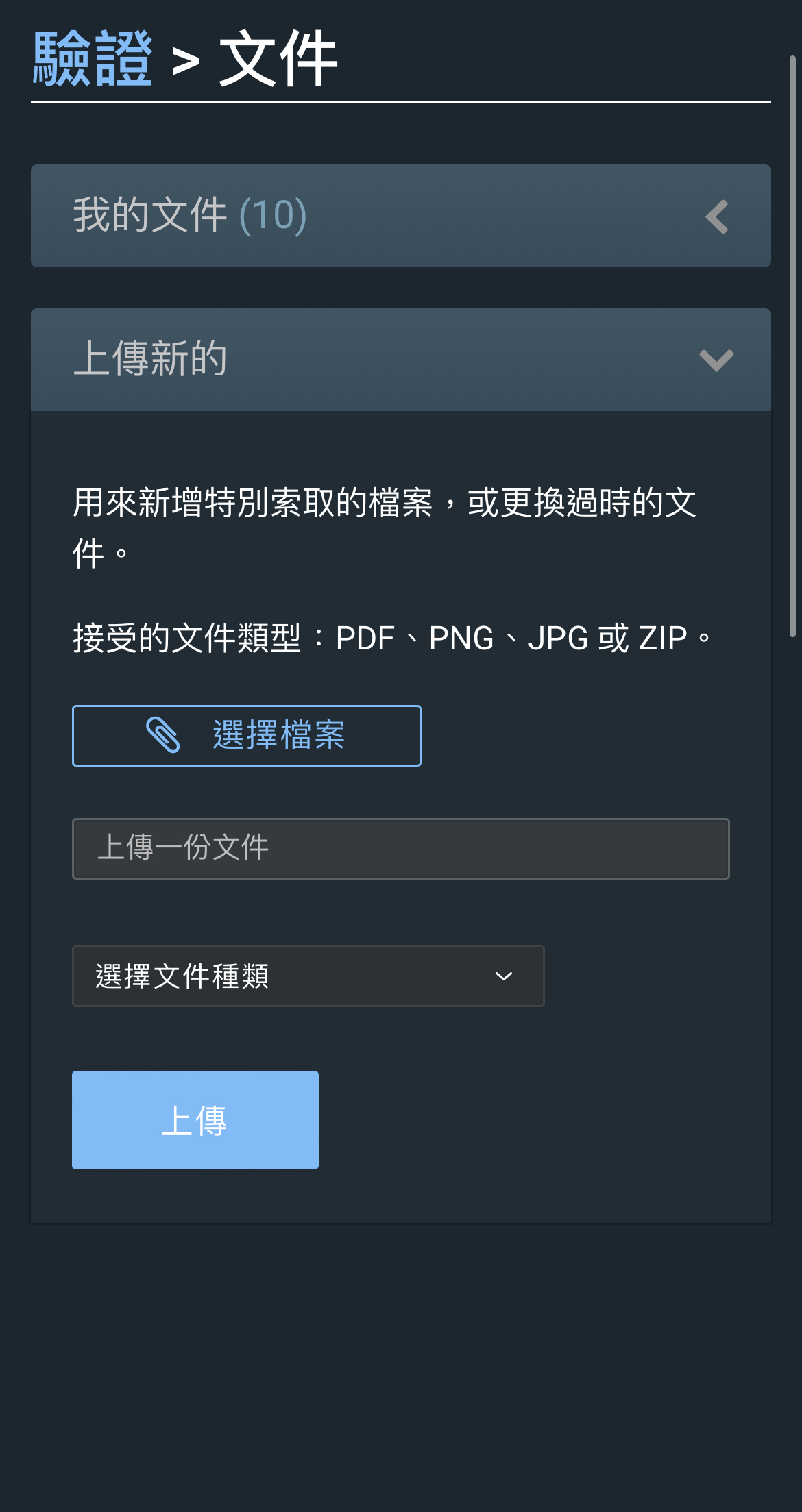
Follow the instructions in the email to upload your documents again
After uploading the requested documents, reply to the email so bitfinex can review your application again
Once approved, you’ll get a confirmation email from Bitfinex

When your application is approved, Bitfinex will notify you by email. Once you’ve passed all KYC checks, you can start depositing funds.
…………………….
Join our online Bitfinex lending communities
This group is for people new to Bitfinex lending and is dedicated exclusively to Bitfinex lending. Crypto #Rental-Style Investing — Compound Interest School https://www.facebook.com/groups/BitfinexLender/
This group is for people already immersed in crypto. It covers Bitfinex lending as well as other cryptocurrency investments. Telegram https://t.me/FulyJRB
…………………….